0 Reviews

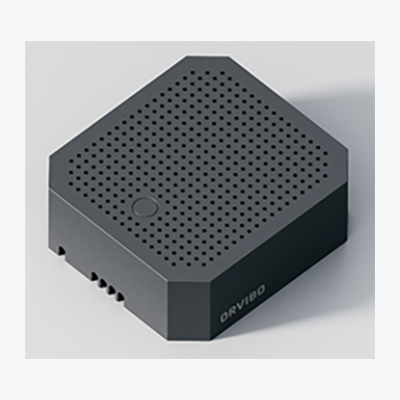
In-wall Switch

199.00 330.00 39.7

Hurry up! only 5 products left in stock!

Availability:
In stock
Quantity:
SKU:
SG-1110012

In-Wall Smart Switch in Dubai


Enhance​‍​‌‍​‍‌​‍​‌‍​‍‌ the illumination of your home with the In-Wall Smart Switch by SG Automations Dubai.

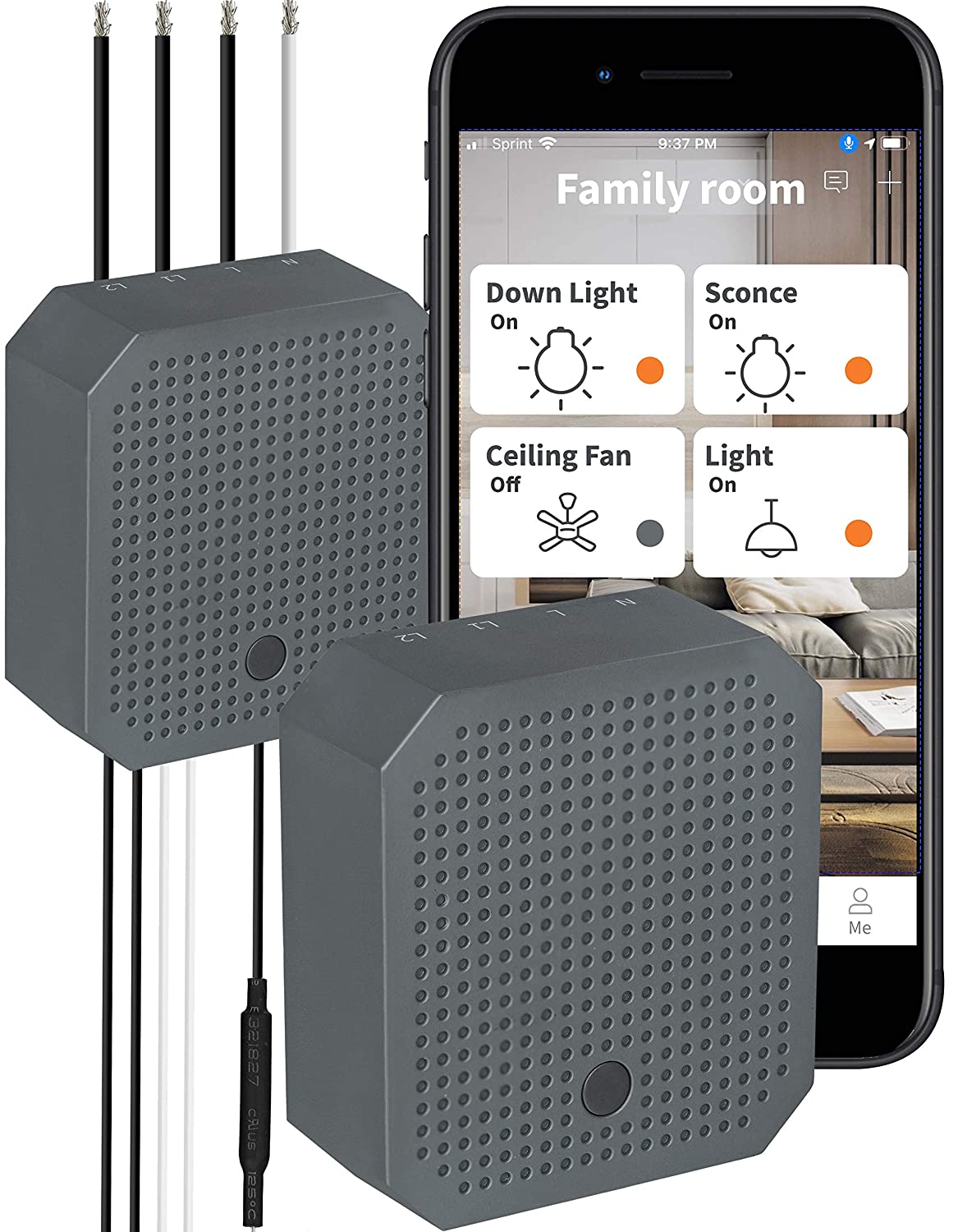
With a simple overhaul of your home's existing switches with this chic and long-lasting smart home switch, you can bring to a halt the manual control of the switch, then proceed to control it remotely, scheduling, as well as automating it via your smartphone.

The device works with ZigBee, Alexa, and Google Home, thereby, giving the user a completely free hand and at the same time saving energy.

Perfect to use in trendy apartments, villas, and offices, this Wi-Fi wall switch not only makes your place look more attractive but also ​‍​‌‍​‍‌​‍​‌‍​‍‌smarter.


Why Choose SG Automations Dubai


SG​‍​‌‍​‍‌​‍​‌‍​‍‌ Automations provides top-quality smart home solutions that are eco-friendly, safe, and comfortable anywhere in the UAE.

Our smart in-wall switches coupled with professional installation and a dependable support service are the perfect way to bring home automation to your home in a simple and elegant ​‍​‌‍​‍‌​‍​‌‍​‍‌manner.

Product Type normal
Sku SG-1110012
Product Code SG-1110012
Category Id 31
Alternate Product Name In-wall Switch
Status 1

1Basic Product Information

AttributeDetails
Product NameIn-Wall Switch
Product TypeSmart in-wall Zigbee switch module
Primary FunctionConverts a conventional wired wall switch into a smart lighting control point
Communication ProtocolZigbee
Installation TypeIn-wall installation behind or inside a compatible wall switch
Control MethodPhysical wall switch plus compatible smart home control
Remote ControlSupported through a compatible Zigbee gateway and smart home application
Scene ControlSupported through compatible smart home systems
Timer / SchedulingSupported through compatible ORVIBO smart home ecosystem
Primary UseSmart lighting, home automation, scenes, schedules and remote light control
Home AutomationSuitable for integration into Zigbee-based smart home systems

2Model & Hardware Specifications

AttributeSpecification
Product ModelR20W2Z
Product VariantSingle Live / single-live in-wall switch
Product CategoryZigbee smart lighting control module
Switch TypeIn-wall smart switch module
CommunicationZigbee wireless communication
InstallationInside a compatible wall switch box
Compatible PanelCan be used with an appropriate 86-type switch panel
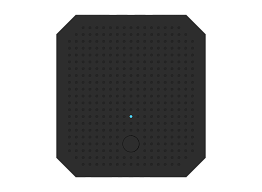
Configuration ButtonBuilt-in configuration/control button
LED IndicatorBuilt-in status indicator

3Electrical Specifications

AttributeSpecification
Working Voltage110-240V AC
Frequency50/60Hz
Electrical ConfigurationSingle-live configuration
Power InputAC mains input
OutputSwitched AC load output
Load ControlON/OFF lighting control
Power RequirementProfessional mains electrical installation required
Electrical safety: This is a mains-voltage device. Installation should be carried out by a qualified electrician with the power isolated before work begins.

4Load Capacity & Supported Loads

Load TypeMaximum Load
Incandescent LampMaximum 200W
Halogen LampMaximum 200W
LED LightMaximum 100W
Fluorescent LightMaximum 100W
Resistive LoadSupported within the specified product load rating
Inductive LoadSupported within the specified product load rating
Capacitive LoadSupported within the specified product load rating
Load note: Do not exceed the manufacturer's specified load rating. The exact load compatibility should be checked before connecting LED, fluorescent or other non-resistive loads.

5Connectivity & Zigbee Network

FeatureDetails
Wireless ProtocolZigbee
Network TypeZigbee smart home network
GatewayCompatible Zigbee hub/gateway required for app-based smart functions
Remote ControlSupported after connection to a compatible Zigbee gateway
Scene ControlSupported through compatible smart home software
Timer ControlSupported through compatible smart home software
Mobile ControlSupported through compatible smart home application
Direct Physical ControlYes, through the connected wall switch

6Smart Home Functions

FunctionDetails
Remote ON/OFFAllows compatible smart home users to control connected lighting remotely.
Scene ControlCan participate in smart home scenes and automation routines.
SchedulingCompatible systems can schedule lighting operation.
AutomationCan be used as part of Zigbee-based home automation routines.
Manual ControlConnected physical switch can still be used for conventional operation.
Smartphone ControlCompatible Zigbee ecosystem can provide smartphone-based control.
Lighting UpgradeDesigned to upgrade conventional lighting controls into smart lighting controls.

7App & User Control

FeatureDetails
Compatible AppORVIBO Home app
App RequirementSmart functions require a compatible Zigbee gateway and supported application ecosystem.
Remote Light ControlSupported through the compatible smart home app.
Scene ManagementSupported through compatible ORVIBO smart home functions.
Timer ManagementSupported through compatible smart home functions.
Device PairingDevice is added to the compatible Zigbee network during setup.
App note: App availability and individual functions can vary according to region, gateway model, firmware and software version.

8Physical Specifications

AttributeSpecification
DimensionsApproximately 46 × 50.5 × 18mm
Form FactorCompact in-wall module
Installation PositionInside a compatible wall switch box
Switch Panel CompatibilityDesigned for use with an appropriate 86-type switch panel
DesignCompact retrofit smart switch module

9Environmental Specifications

AttributeDetails
Operating Temperature-20°C to 60°C
Operating Humidity≤80%
Installation EnvironmentIndoor wall-box installation
Outdoor InstallationNot intended for direct outdoor exposure
Moisture ProtectionInstall in a dry, suitable indoor electrical enclosure.

10Buttons, Indicator & Device Status

ComponentFunction
Configuration ButtonUsed for device configuration and network-related functions.
Manual ControlThe connected wall switch can control the lighting load.
LED IndicatorProvides device/network status information.
Pairing StatusIndicator behavior can provide feedback during Zigbee pairing.
Reset FunctionFactory reset can be performed according to the applicable product instructions.

11Installation & Placement

Installation PointRecommended Use
BedroomSmart control of bedroom lighting.
Living RoomAutomated lighting and scene control.
KitchenSmart control of compatible lighting circuits.
HallwayScheduled or automated lighting operation.
EntranceSmart lighting control for entrance areas.
VillaCan be integrated into a larger Zigbee smart villa automation system.
OfficeSuitable for compatible indoor lighting automation.
Wall BoxInstall only where sufficient space and compatible electrical wiring are available.

12Setup & Pairing Instructions

  1. Switch off the electrical supply:Turn off the relevant circuit breaker before opening the wall switch box.
  2. Verify the wiring:Confirm that the existing electrical wiring is suitable for the single-live in-wall switch configuration.
  3. Install the module:Place the In-Wall Switch inside the compatible wall box and connect the wiring according to the manufacturer's wiring instructions.
  4. Secure the connections:Check all electrical terminals carefully and ensure that connections are secure.
  5. Restore power:After installation has been checked, restore the electrical supply.
  6. Prepare the Zigbee gateway:Ensure that a compatible Zigbee hub or gateway is operating and ready to add a device.
  7. Open the smart home app:Use the compatible ORVIBO Home application or supported Zigbee platform.
  8. Add the device:Select the appropriate option for adding a Zigbee lighting device.
  9. Enter pairing mode:Follow the device and gateway instructions to place the switch into Zigbee pairing mode.
  10. Complete pairing:Wait for the gateway to detect and add the In-Wall Switch.
  11. Name the device:Assign a useful room or lighting name such as Living Room Light.
  12. Test manual control:Operate the physical switch and confirm that the connected light responds correctly.
  13. Test app control:Use the smart home application to switch the connected light ON and OFF.
  14. Create automation:Configure schedules, scenes or other compatible automation routines if required.
Installation warning: Mains electrical work should only be performed by a qualified electrician. Never install or modify the device while the circuit is energized.

13Zigbee Pairing & Network Functions

FunctionDetails
Zigbee PairingThe switch can be added to a compatible Zigbee network.
Gateway IntegrationCompatible Zigbee gateways can provide centralized smart control.
Network ControlConnected smart home systems can control the lighting load remotely.
Scene IntegrationThe switch can participate in compatible lighting scenes.
Timer IntegrationThe switch can be used with compatible scheduling functions.
Smartphone IntegrationCompatible smart home applications can provide remote control.

14Key Features & Advantages

FeatureBenefit
Zigbee TechnologyProvides low-power wireless communication for compatible smart home systems.
In-Wall DesignFits behind a compatible wall switch for a clean smart-home installation.
Single-Live DesignDesigned for compatible single-live wiring applications.
Remote ControlAllows compatible smart home users to control lighting remotely.
Scene ControlEnables lighting to participate in customized smart home scenes.
SchedulingCompatible systems can automate lighting based on time.
Physical Switch ControlRetains convenient local wall-switch operation.
Compact SizeDesigned to fit into suitable wall switch boxes.
86-Type Panel SupportCan be used with an appropriate 86-type switch panel.
Smart Lighting UpgradeHelps convert conventional lighting into connected smart lighting.
Wide Voltage RangeSupports 110-240V AC, 50/60Hz operation.
ORVIBO Home SupportCan work with compatible ORVIBO smart home functions.

15Smart Home Applications

ApplicationExample
Automatic LightingTurn lights on or off according to predefined smart home conditions.
Scheduled LightingSet lights to operate at selected times.
Scene LightingInclude the switch in scenes such as Movie, Night or Away.
Remote LightingControl connected lights remotely using a compatible smart home app.
Villa AutomationUse multiple switches as part of a wider smart villa automation system.
Energy ManagementAutomated switching can help reduce unnecessary lighting operation.
Centralized ControlMultiple compatible lighting devices can be managed from a smart home platform.

16Compatibility & Requirements

RequirementDetails
Zigbee GatewayRequired for network-based smart functions and app control.
Zigbee NetworkRequires a compatible Zigbee environment.
Wall SwitchSuitable compatible physical switch required for local control.
Wall BoxInstallation space must accommodate the compact module and wiring.
Electrical Supply110-240V AC, 50/60Hz.
LoadConnected lighting must remain within the specified load limits.
Mobile AppCompatible smart home app required for smartphone-based functions.

17Safety & Important Installation Notes

PointInformation
Mains VoltageThe device operates on potentially hazardous AC mains voltage.
Power IsolationSwitch off the circuit breaker before installation or servicing.
Qualified InstallerElectrical installation should be performed by a qualified electrician.
Load RatingNever exceed the specified maximum load for the connected lighting type.
Wall BoxEnsure sufficient physical space for the module and electrical connections.
MoistureDo not install in locations exposed to water or excessive moisture.
WiringFollow the manufacturer's wiring diagram and applicable electrical regulations.
Smart GatewayUse a compatible Zigbee gateway for network-based smart functionality.
Product DataSpecifications may vary by product revision, region or firmware version.

18What's Included

ItemDetails
In-Wall Switch1 × In-Wall Switch module, applicable model R20W2Z
Installation ComponentsComponents supplied with the applicable product package.
User DocumentationProduct installation and operating instructions where supplied.
Zigbee GatewayNot included unless specifically stated in the purchased package.
Wall Switch PanelNot necessarily included; compatibility should be confirmed for the selected panel.

19Important Product Limitations

PointInformation
Zigbee RequirementSmart network features require a compatible Zigbee gateway or ecosystem.
Wi-FiThe switch itself communicates through Zigbee rather than directly through Wi-Fi.
Load LimitsIncandescent/halogen loads are limited to 200W and LED/fluorescent loads to 100W for the R20W2Z specification.
InstallationProfessional electrical installation is recommended because the module operates at mains voltage.
Outdoor UseThe product is intended for appropriate indoor in-wall installation rather than exposed outdoor use.
App FunctionsAvailable app features depend on the compatible gateway, software and region.

?Frequently Asked Questions

What is an In-Wall Switch?

The In-Wall Switch is a compact Zigbee smart switch module designed to upgrade a conventional wired light switch into a smart lighting control point.

What model is the In-Wall Switch?

The single-live version is identified as model R20W2Z.

Does the In-Wall Switch use Zigbee?

Yes. The R20W2Z communicates using the Zigbee wireless protocol.

Does the In-Wall Switch use Wi-Fi?

No. The switch uses Zigbee for smart wireless communication. A compatible Zigbee gateway can connect it to the wider smart home system.

Does the In-Wall Switch require a Zigbee hub?

A compatible Zigbee gateway is required for network-based smart functions such as app control, scenes and remote operation.

Can I control the light manually?

Yes. The connected physical wall switch can continue to provide local lighting control.

Can I control the light from my phone?

Yes, when the switch is connected to a compatible Zigbee gateway and supported smart home application.

Does it support scenes?

Yes. The switch can participate in compatible smart home scenes and automation routines.

Does it support scheduling?

Yes. Compatible smart home systems can provide timer and scheduling functions.

What voltage does the R20W2Z support?

The specified working voltage is 110-240V AC at 50/60Hz.

What is the maximum load for incandescent lights?

The specified maximum load for incandescent and halogen lamps is 200W.

What is the maximum load for LED lights?

The specified maximum load for LED and fluorescent lighting is 100W.

What are the dimensions of the In-Wall Switch?

The R20W2Z is approximately 46 × 50.5 × 18mm.

Can it be installed behind an existing wall switch?

Yes. It is designed as a compact in-wall module for installation with a compatible wall switch and wall box.

Can it be used with an 86-type switch panel?

Yes. The R20W2Z is designed to work with an appropriate 86-type switch panel.

What is the operating temperature?

The specified working environment is approximately -20°C to 60°C.

What is the operating humidity?

The specified working humidity is up to 80%.

Is the In-Wall Switch suitable for smart villas?

Yes. It can be integrated into a compatible Zigbee smart home system to automate lighting in villas, apartments and other indoor properties.

Can multiple In-Wall Switches be used together?

Yes. Multiple compatible Zigbee switches can be integrated into a suitable smart home network and managed through the supported gateway and application.

Is professional installation recommended?

Yes. Because the switch connects to AC mains wiring, installation should be performed by a qualified electrician following the manufacturer's wiring instructions and applicable electrical regulations.

Can the In-Wall Switch be installed outdoors?

It is intended for suitable indoor in-wall electrical installation and should not be exposed directly to outdoor weather or moisture.

Can it be used with LED lights?

Yes. LED lighting is supported within the specified 100W maximum load for the R20W2Z model.

Can it be used with fluorescent lights?

Yes. Fluorescent lighting is listed as supported within the specified 100W maximum load.

Does it replace the complete wall switch?

The module is designed to be installed with a compatible physical switch and can add smart functionality without requiring the complete conventional switch arrangement to be replaced.

What app can be used with the product?

The product documentation identifies the ORVIBO Home app for compatible smart control. Actual availability depends on the supported gateway, software version and region.

Can the In-Wall Switch be used for lighting automation in Dubai?

Yes. When correctly installed with a compatible Zigbee gateway, it can be used for smart lighting, scheduling, scenes and remote control in homes, apartments and villas in Dubai.

Customer reviews

0 Reviews Write a review

Write a review

No reviews yet.

Cart

Your cart is currently empty

Continue shopping