0 Reviews

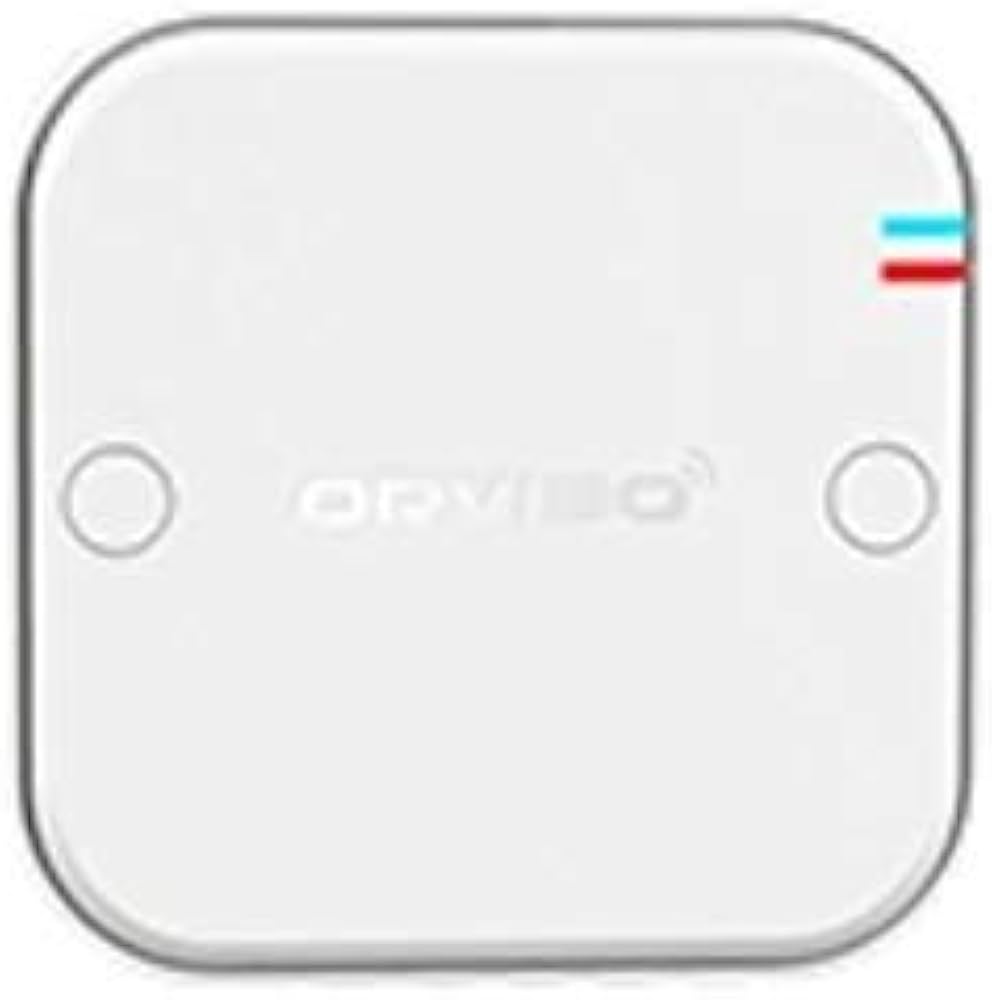
ZigBee Mini Hub

50.00 100.00 50
Availability:
Out of stock
Quantity:
SKU:
SG-111003

ZigBee Mini Hub in Dubai

Make​‍​‌‍​‍‌​‍​‌‍​‍‌ your home automation absolutely smooth with the ZigBee Mini Hub by SG Automations Dubai.

This small but powerful hub is the one thing that unites all your smart devices - whether they are lights or locks, sensors or switches - under its command.
You get to have it all — quick connection, minimal delay, and the utmost control over your devices through the dedicated smartphone app or voice commands via Alexa or Google Home.

Wherever you may be in the UAE — be it a villa, an apartment, or a workspace — the ZigBee Mini Hub is what it takes to keep the device-to-device communication stable and continuous for a smarter, safer, and more connected ​‍​‌‍​‍‌​‍​‌‍​‍‌home.

Why Choose SG Automations Dubai

SG​‍​‌‍​‍‌​‍​‌‍​‍‌ Automations is the go-to leader of Dubai for smart home automation and IoT systems solutions made simple and efficient.

With our ZigBee Mini Hub, you get a smooth integration, a very secure connection, and can set it up without any problems — thus allowing you to be the absolute master of your smart ecosystem in the most elegant and safe way ​‍​‌‍​‍‌​‍​‌‍​‍‌possible.
Product Type normal
Sku SG-111003
Product Code SG-111003
Category Id 29
Alternate Product Name ZigBee Mini Hub
Status 1

1Product Overview

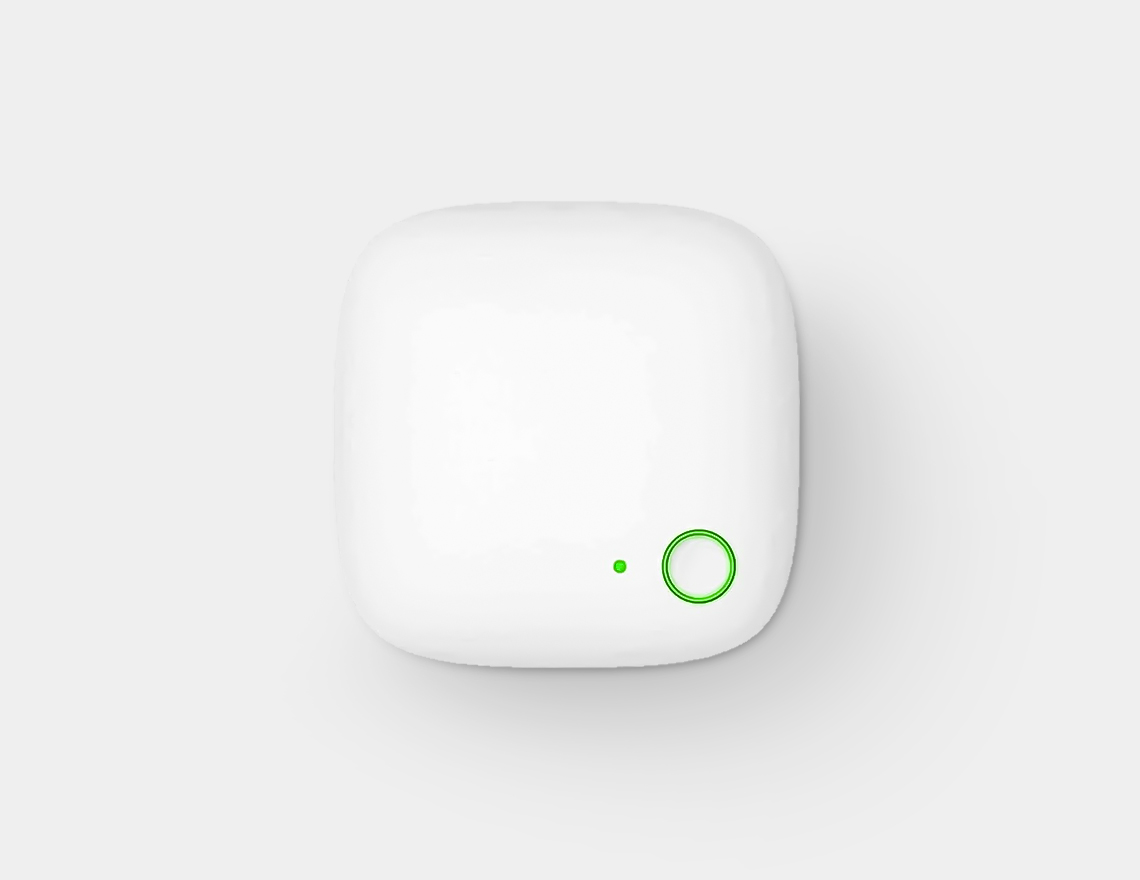
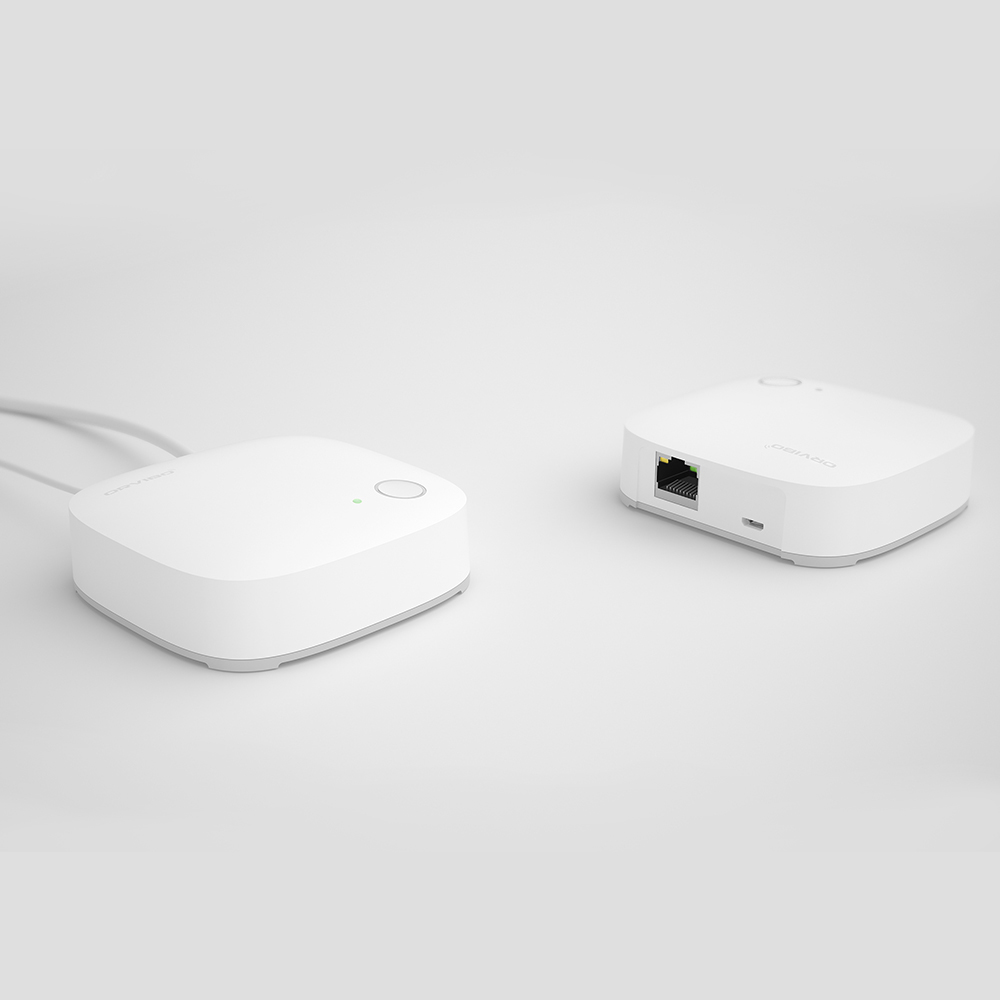
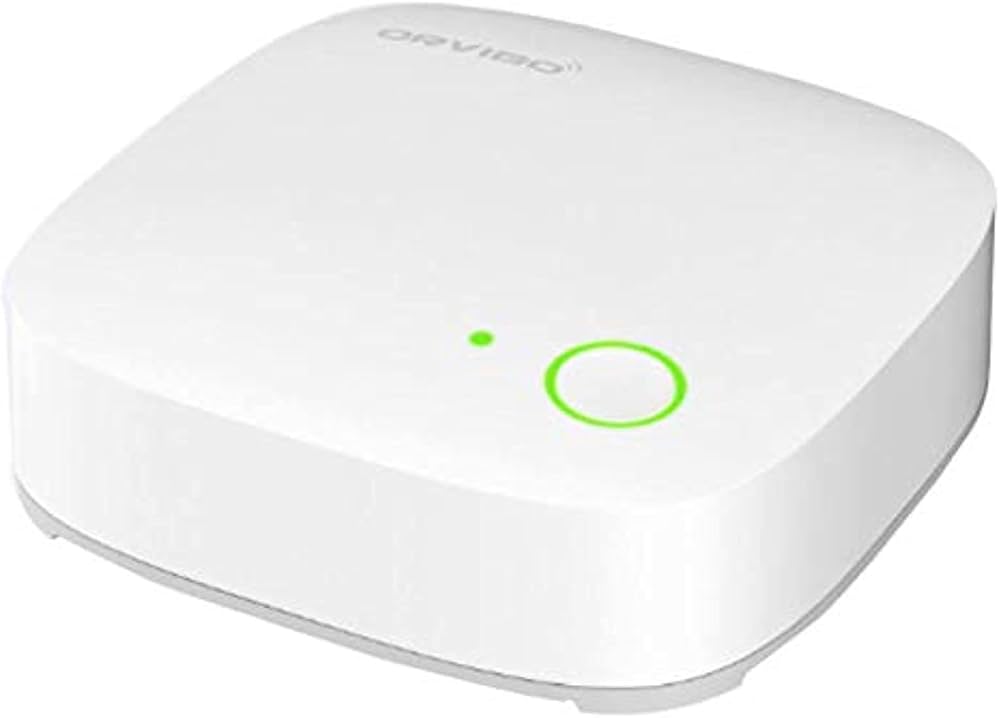
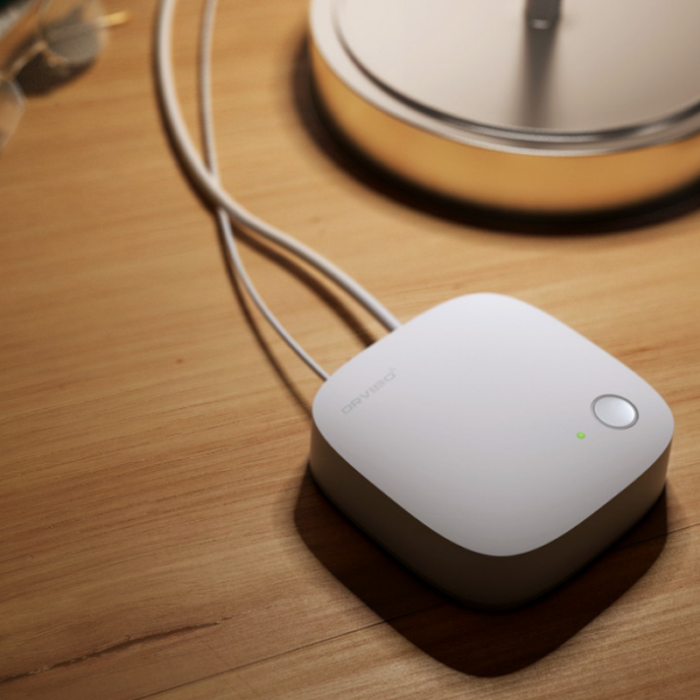
The ZigBee Mini Hub acts as a central bridge for compatible ZigBee smart-home devices. It brings supported sensors, switches, lighting and other devices into one connected smart-home network.
Attribute Details
Product Name ZigBee Mini Hub
Brand ORVIBO
Product Type ZigBee Smart Home Hub / Gateway
Model VS10ZW
Primary Function Connects compatible ZigBee smart devices and provides a central point for control and automation.
Smart Home Platform ORVIBO HomeMate
Communication ZigBee wireless communication with network connectivity to the smart-home system.
Maximum ZigBee Devices Up to 100 devices according to ORVIBO support information.
Product Category Smart Central Control Panels / Smart Home Gateway
Use Residential and office smart-home automation
Service Location Dubai, UAE

2Key Features

ZigBee Gateway Smart Home Hub Up to 100 Devices Automatic Networking Real-Time Feedback Remote Control Local Control HomeMate App
Central Smart Hub Provides a central connection point for compatible ZigBee smart-home products.
Automatic Device Search The hub can search for compatible ZigBee devices and add them to its network.
Automatic Networking Supported devices can join the ZigBee network without requiring complicated manual network configuration.
Real-Time Feedback Compatible devices can report their status back to the smart-home system.
Remote Control Compatible devices can be controlled remotely through the connected smart-home platform when the required internet connection is available.
Local Control ZigBee devices can support local control within the smart-home network.
Smart Scenes Connected devices can be combined into automation scenes.
Multi-Device Management The hub is designed to bring multiple compatible ZigBee devices into one smart-home environment.

3Technical Specifications

Specification Details
Model No. VS10ZW
Dimensions 88 × 90 × 27 mm (L × W × H)
Power Supply 5V / 1A
ZigBee Protocol ZigBee HA
Networking Mode ZigBee automatic networking
Wireless Standard IEEE 802.15.4
Wireless Frequency 2.4GHz
Wireless Channels 11, 14, 15, 19, 20, 24 and 25
Modulation OQPSK
Encryption AES-128
Communication Rate 250 Kbps
Wireless Transmitting Power ≤18 dBm
Wireless Receiving Sensitivity ≥ -90 dBm
Installation Environment Indoor use

4Compatible Smart Home Devices

Device Type Possible Smart Home Use
Smart Switches Connect compatible ZigBee switches for centralized control and automation.
Smart Dimmers Bring compatible ZigBee dimming devices into lighting scenes.
Smart Lights Control compatible ZigBee lighting and include it in automated scenes.
Door & Window Sensors Monitor door and window status and use the sensor as an automation trigger.
Motion / Security Sensors Use compatible sensor events as triggers for connected smart-home actions.
Curtain Devices Compatible ZigBee curtain devices can be included in smart-home routines.
Other ZigBee Devices The hub can manage supported ORVIBO ZigBee products within its compatible ecosystem.
Compatibility is ecosystem and model dependent. The ORVIBO support documentation states that the Mini Hub is not compatible with ZigBee devices from other brands.

5Smart Scenes & Automation

Automation Example How It Can Work
Door Opens → Light On A compatible door/window sensor can trigger a connected smart light when the door is opened.
Security Scene Sensor events can be combined with compatible smart-home devices to create a security-focused routine.
Night Scene Connected lighting can be set to a preferred low-light condition for night-time use.
Leaving Home Compatible devices can be grouped into a scene that changes multiple devices when leaving the property.
Coming Home A selected scene can prepare connected lighting and other supported devices when returning home.
Lighting Automation Compatible ZigBee lights can be controlled together as part of a smart lighting routine.
Sensor-Based Automation Compatible sensor status can act as a trigger for another connected smart device.

6HomeMate App

Application ORVIBO HomeMate
Mobile Platforms Android and iOS supported according to ORVIBO support documentation.
Device Management View and manage the connected smart-home hub and supported devices.
Scene Management Create and manage smart scenes involving compatible connected devices.
Remote Access Internet-connected setups can provide remote access to compatible smart-home devices.
Device Status Compatible ZigBee devices can provide status feedback through the smart-home system.
Language Support ORVIBO documentation lists Chinese, English, Spanish, German, Japanese and Portuguese among supported HomeMate languages.

7Installation & Setup Instructions

The Mini Hub needs power and a network connection during initial setup. Keep the hub powered while configuration is being completed.
  1. Download HomeMate: Install the ORVIBO HomeMate application on your compatible smartphone.
  2. Create or sign in to your account: Open HomeMate and use your account to manage the smart-home system.
  3. Power the Mini Hub: Connect the hub to its 5V/1A power supply.
  4. Connect to the network: Connect the Mini Hub to the router using the appropriate network connection.
  5. Keep phone and hub on the same router: During the initial configuration, ensure the smartphone and Mini Hub are connected to the same network.
  6. Open HomeMate: Tap the add button and select the Smart Hub option.
  7. Select ZigBee Mini Hub: Choose the ZigBee Mini Hub from the available smart-hub options.
  8. Start device search: Start the pairing process and allow HomeMate to search for the hub.
  9. Add the hub: When the hub appears, select Add.
  10. Save the configuration: Save the hub after it has been successfully added to the HomeMate account.
  11. Add ZigBee devices: Start adding compatible ZigBee sensors, switches, lights and other supported devices.
  12. Create scenes: Once devices are connected, create automation scenes according to your daily requirements.

8Network & Configuration Requirements

Requirement Details
Router Standard ORVIBO support documentation specifies IEEE 802.11b/g/n compatibility for the router.
Security ORVIBO lists WEP, WPA-PSK and WPA2-PSK as supported router security mechanisms and recommends WPA/WPA2.
DHCP DHCP should be enabled on the router for the configuration process.
Initial Setup The smartphone and Mini Hub should be connected through the same router during initial configuration.
Internet Internet connectivity is required for remote network-based control. ZigBee devices can support local control within the LAN.

9LED Indicator Status

Indicator Status Meaning
STA Indicator Steady On The hub is operating normally.
ZigBee Indicator Flashes Once A connected ZigBee device has been triggered.
ZigBee Indicator Slow Flashing The hub is searching for a ZigBee device.
Backlight / Indicator Rapid Flashing The hub may be performing an upgrade. Keep the hub powered during this process.

10Factory Reset & Recovery

Reset Function The Mini Hub can be returned to its default factory state.
Reset Procedure ORVIBO support instructions describe pressing the hub button four times and then holding it until the LED turns off on the fifth operation.
Reset Completion After approximately one minute, the LED turns back on to indicate the reset process has completed.
Important Factory reset removes the data stored in the hub, so connected devices may need to be configured again.
Do not reset the hub unless necessary. A factory reset can remove existing configuration and connected-device information.

11Device Capacity & Smart Home Structure

Function Supported Information
ZigBee Devices per Hub Up to 100 devices according to ORVIBO FAQ documentation.
Mini Hubs per Family ORVIBO support documentation lists up to five Mini Hubs in one family/account.
Smart Home Expansion Multiple compatible ZigBee devices can be added as the smart-home installation grows.
Scene Automation Multiple connected devices can participate in smart scenes.
Room Management HomeMate can organize devices into rooms and smart-home areas.

12Smart Home Applications

Application How the Hub Helps
Smart Lighting Connect compatible ZigBee lighting devices and organize them into scenes.
Home Security Connect compatible sensors and use their status as automation triggers.
Smart Switches Centralize compatible ZigBee switches within the HomeMate environment.
Smart Curtains Compatible ZigBee curtain devices can be included in automated routines.
Energy Management Connected devices can be automated according to usage routines, helping reduce unnecessary operation.
Office Automation The hub can be used as part of compatible smart-office installations.
Whole-Home Automation Multiple compatible ZigBee products can communicate within a single smart-home network.

13Main Benefits

One Central Hub Provides a central point for managing compatible ZigBee devices.
Simple Expansion Additional compatible ZigBee devices can be added as the smart-home system grows.
Automation Allows connected devices to work together through smart scenes.
Real-Time Status Compatible devices can report status changes to the smart-home system.
Remote Access When the required internet connection is available, supported devices can be controlled remotely.
Local ZigBee Control Compatible ZigBee devices can continue to communicate locally within the network.
Compact Design The 88 × 90 × 27 mm form factor makes the hub relatively easy to position near the network equipment.

14Wireless Communication & Security

Technology Specification
Protocol ZigBee HA
Wireless Standard IEEE 802.15.4
Frequency 2.4GHz
Channels 11, 14, 15, 19, 20, 24 and 25
Modulation OQPSK
Encryption AES-128
Communication Rate 250 Kbps
Transmitting Power ≤18 dBm
Receiving Sensitivity ≥ -90 dBm

15Package Contents

Item Quantity / Details
ZigBee Mini Hub 1 × Mini Hub
Power Adapter 1 × 5V / 1A adapter
Micro USB Cable 1 × cable
Network Cable 1 × network cable
User Guide 1 × user guide
Package contents can vary by product batch or regional version. Verify the supplied box contents when receiving the product.

16Installation & Placement Tips

Central Position Place the hub in a practical position that provides a good communication path to the connected ZigBee devices.
Avoid Obstructions Avoid placing the hub in locations surrounded by heavy metal objects or unnecessary wireless interference.
Network Access Position the hub close enough to the router/network connection required for setup and operation.
Power Use the specified 5V/1A power supply and keep the hub powered during normal operation.
Indoor Installation The Mini Hub is intended for indoor use.
Device Distance For larger properties, ZigBee device placement should be planned to maintain reliable communication throughout the installation.

17Troubleshooting

Problem What to Check
Hub Cannot Be Added Check power, router compatibility, DHCP settings and ensure the phone and hub are connected to the same router.
Configuration Failed Check the router's wireless standard and security mode, then restart the configuration process.
Hub Not Found Confirm that the hub is powered and connected correctly to the network.
New Router Installed Reconnect the Mini Hub to the new router/network and allow it to establish the connection.
ZigBee Device Not Found Move the ZigBee device closer to the hub during pairing and make sure the device is in its pairing/reset state.
Smart Control Not Working Check the internet connection for remote control and verify that the relevant device is still connected to the ZigBee network.
Rapid LED Flashing The hub may be upgrading. Keep the device powered and allow the process to finish.
Persistent Configuration Problem Follow the manufacturer's reset procedure and configure the hub again if required.

?Frequently Asked Questions

What is the ZigBee Mini Hub?

The ZigBee Mini Hub is a smart-home gateway that connects compatible ZigBee devices and allows them to work together within a connected smart-home system.

What is the model number of the ZigBee Mini Hub?

The VS10ZW model is listed for the ORVIBO ZigBee Mini Hub specifications.

How many ZigBee devices can the Mini Hub support?

ORVIBO support documentation states that up to 100 ZigBee devices can be added to the Mini Hub.

Which app is used with the ZigBee Mini Hub?

The hub is configured and managed through the ORVIBO HomeMate application.

Does the ZigBee Mini Hub support smart scenes?

Yes. Compatible devices can be combined into smart scenes so that one device event can trigger another supported action.

Can I control ZigBee devices remotely?

Compatible devices can be controlled remotely through the smart-home platform when the required internet connection is available.

Can ZigBee devices work without the internet?

ORVIBO states that ZigBee devices can be controlled through the local network. Remote internet-based control requires an internet connection.

Does the Mini Hub work with ZigBee products from other brands?

ORVIBO support documentation states that the Mini Hub is not compatible with ZigBee devices from another brand.

What is the power requirement?

The specified Mini Hub uses a 5V / 1A power supply.

What ZigBee frequency does it use?

The Mini Hub operates on the 2.4GHz ZigBee frequency using IEEE 802.15.4.

What ZigBee security encryption is used?

The technical specification lists AES-128 encryption.

What are the dimensions of the Mini Hub?

The specified dimensions are 88 × 90 × 27 mm.

Can I use the Mini Hub for smart lighting?

Yes. Compatible ZigBee lights can be connected and included in lighting scenes and automation routines.

Can the Mini Hub connect smart switches?

Compatible ORVIBO ZigBee switches can be connected to the hub and managed as part of the smart-home system.

Can the Mini Hub be used with door and window sensors?

Yes. Compatible ZigBee door and window sensors can connect to the hub and provide status information for monitoring and automation.

How do I reset the ZigBee Mini Hub?

ORVIBO's support procedure uses the hub button for a multi-step reset sequence. A factory reset removes the existing hub data, so connected devices may need to be configured again.

What should I do if the hub cannot connect?

Check the power supply, router compatibility, DHCP settings, router security settings and make sure the phone and hub are connected to the same router during initial setup.

Is the ZigBee Mini Hub suitable for Dubai homes?

It can be used as part of a compatible indoor smart-home installation in Dubai, subject to the selected devices, network setup and regional product compatibility.

Customer reviews

0 Reviews Write a review

Write a review

No reviews yet.

Cart

Your cart is currently empty

Continue shopping