0 Reviews

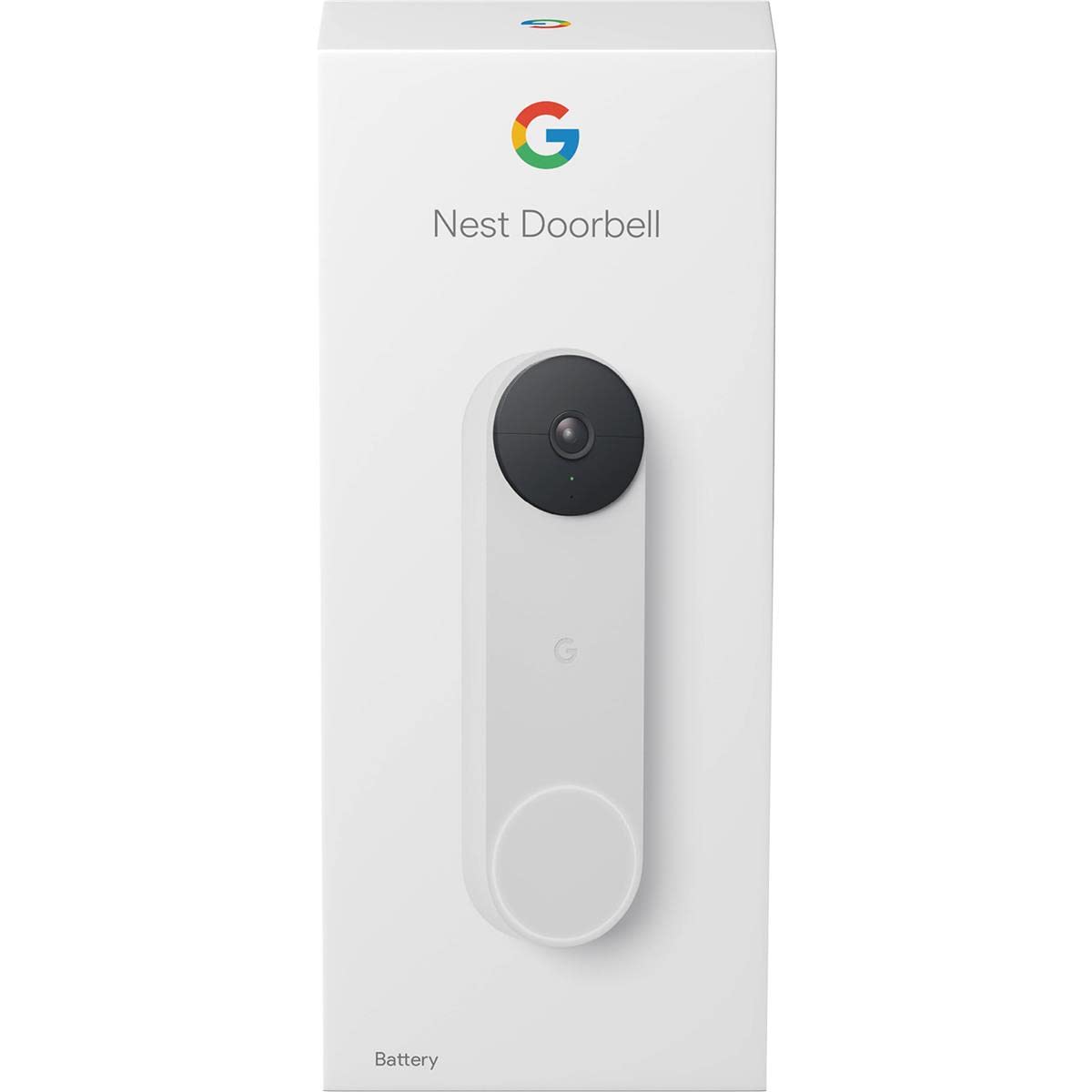
Google Nest Smart Video Doorbell-Battery

679.00 799.00 15.02
Availability:
Out of stock
Quantity:
SKU:
SG-GWX3T

Google Nest Smart Video Doorbell - Battery (SKU: SG-GWX3T)

Take smart home security to the next level with the Google Nest Smart Video Doorbell – Battery (SKU: SG-GWX3T). Perfect for homes without existing doorbell wiring, this battery-powered marvel offers the flexibility of installation anywhere while maintaining all the premium features you expect from Google Nest.

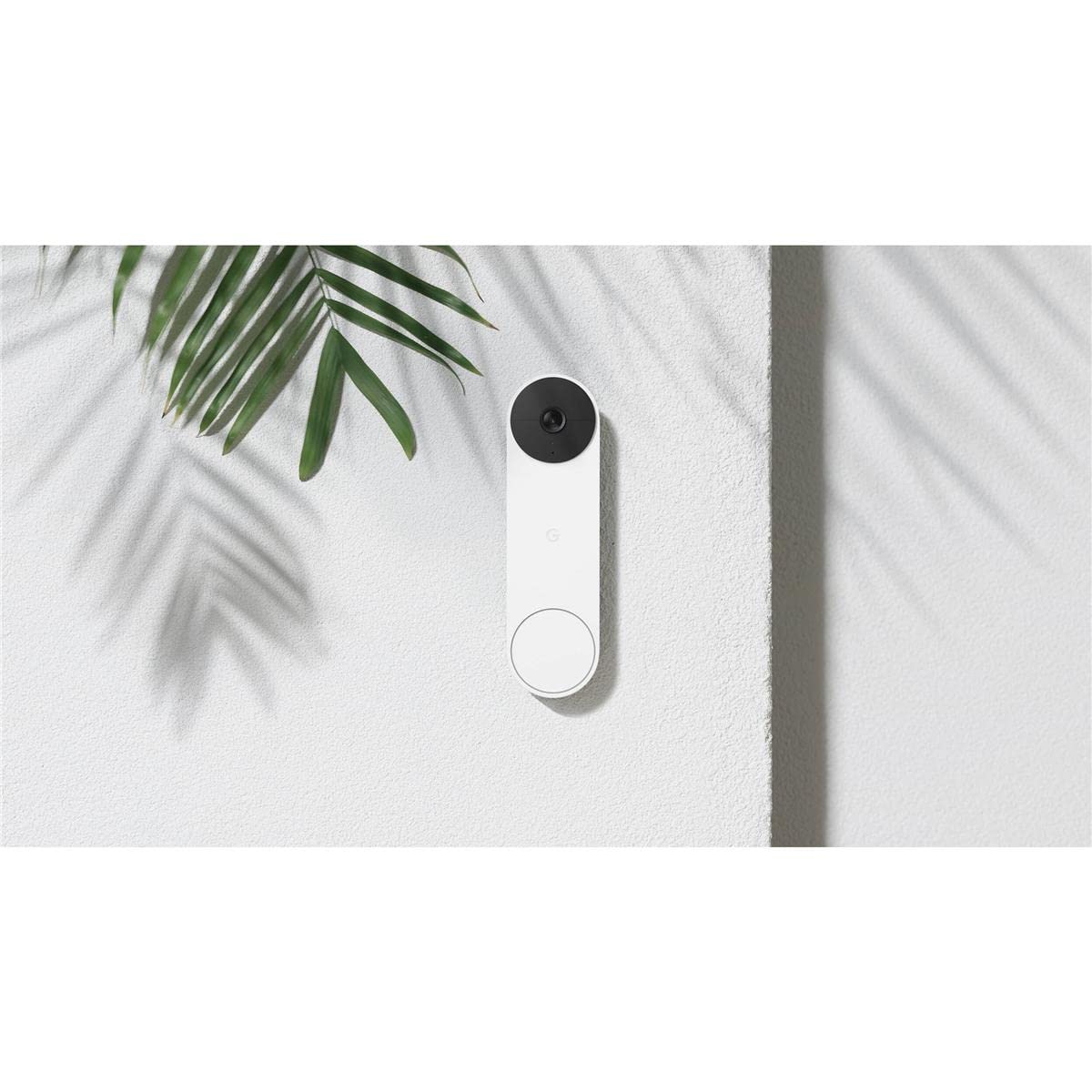
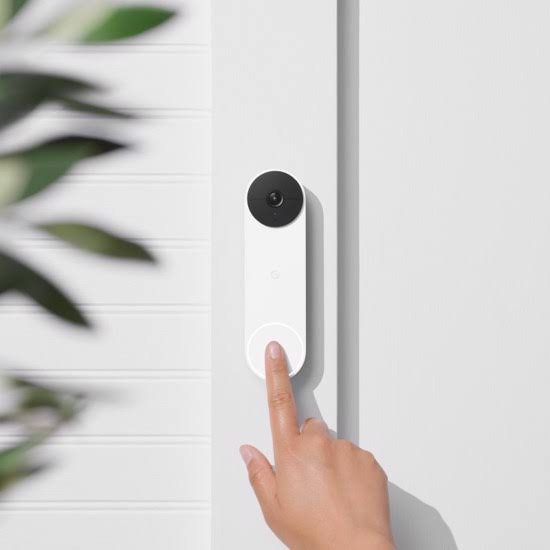
With a sleek and compact design, the Nest Doorbell Battery fits perfectly at any entrance, allowing you to monitor visitors, deliveries, and suspicious activity with crystal-clear HD video and intelligent alerts. Its 145° field of view and HDR imaging ensure you never miss a moment—even in harsh lighting or at night.

Order Google Nest Smart Video Doorbell – Battery, SG-GWX3T online in Dubai and enjoy smart detection that differentiates between people, packages, animals, and vehicles. You’ll receive instant alerts through the Google Home app, giving you control even when you’re away from home.

Shop for SG-GWX3T online in Dubai from the trusted Smartgain store, where you’ll find the latest in smart home innovations at your fingertips. The built-in microphone and speaker let you converse with visitors from anywhere, and the doorbell’s wire-free setup makes installation a breeze.

With support for Google Assistant, this doorbell integrates seamlessly into your Google-powered smart home, offering a more secure and connected living experience.

Whether you're upgrading your front door security or seeking a no-wires-needed solution, buy Google Nest Smart Video Doorbell Battery, SKU: SG-GWX3T online from Smartgain store in Dubai and take control of your home security with ease.

Highlights:

  • Battery-powered for flexible installation—no hardwiring needed
  • 960 x 1280 HD video with HDR for vivid, detailed footage
  • Wide vertical field of view (3:4 ratio) for complete door coverage
  • Smart alerts differentiate people, vehicles, animals, and packages
  • Talk and listen with HD two-way audio
  • Works with Google Assistant and Google Home app
  • Stylish and minimalist design suitable for any modern home

Have SG-GWX3T in your home today—shop online in Dubai from Smartgain store for unbeatable service and next-gen security.

Product Type normal
Sku SG-GWX3T
Category Id 25
Model GWX3T
Status 1

1Product Overview

AttributeDetails
Product NameGoogle Nest Doorbell (battery)
Product TypeBattery-powered smart video doorbell
ModelNest Doorbell (battery)
Color OptionsSnow, Linen, Ash and Ivy
Video QualityHD, 960 × 1280 pixels
Video Aspect Ratio3:4
Frame RateUp to 30 FPS
Field of View145° diagonal wide-angle view
Night VisionYes, with infrared LEDs
HDRSupported
AudioTwo-way audio with noise cancellation
PowerBuilt-in rechargeable lithium-ion battery
Optional Wired Power8–24 VAC, 10 VA, 50/60 Hz
ConnectivityWi-Fi and Bluetooth Low Energy
AppGoogle Home app
Weather ResistanceIP54
MountingLocking mount with 20° wedge option

2Camera & Video

SpecificationDetails
Camera Sensor1.3-megapixel color sensor
Video Resolution960 × 1280 pixels
Video TypeHD video
Aspect Ratio3:4
Frame RateUp to 30 frames per second
Field of View145° diagonal wide-angle view
Digital Zoom6× digital zoom
Live View24/7 live view
HDRHigh Dynamic Range supported
Video EncodingH.264
Viewing FormatVertical 3:4 view helps show visitors and packages near the entrance

3Smart Detection & Alerts

DetectionDetails
Person DetectionCan identify people within the camera's view and provide supported alerts
Package DetectionCan identify package-related activity around the entrance
Animal DetectionCan identify animals within the viewing area
Vehicle DetectionCan identify vehicles within the camera view
Motion DetectionDetects relevant movement around the entrance
Activity ZonesAllows selected areas to be monitored for activity
Familiar FacesAdvanced familiar-face functionality may depend on the Google Home subscription available in the user's region
On-Device ProcessingSupported machine-learning detection is processed on the device
Phone NotificationsReceive supported activity and doorbell notifications through Google Home
Feature note: Available detection, event history and advanced notification features can vary by region, Google Home service and subscription.

4Night Vision

SpecificationDetails
Night VisionBuilt-in infrared night vision
Infrared LEDs4 × 850 nm infrared LEDs
IR FilterIR cut filter
Night Viewing DistanceUp to approximately 10 feet / 3.05 metres
Low-Light SupportDesigned to maintain visibility around the entrance after dark
HDRHelps retain image detail when bright and darker areas appear together

5Audio & Communication

FeatureDetails
MicrophoneBuilt-in high-quality microphone
SpeakerBuilt-in high-quality speaker
Two-Way AudioTalk and listen to visitors remotely
Noise CancellationSupported for clearer two-way conversations
Visitor CommunicationSpeak with visitors through the Google Home app
Doorbell NotificationsReceive alerts when someone presses the doorbell
Google AssistantWorks within the Google smart home ecosystem with compatible devices and services

6Battery & Power

SpecificationDetails
Battery TypeBuilt-in rechargeable lithium-ion battery
Battery Rating6 Ah, 3.65 V
Battery InstallationDesigned to operate without permanent doorbell wiring
ChargingRecharge using the included charging cable
Charging Cable1 m / 3 ft charging cable included
Wired OptionCan use existing wiring for chime and battery recharging
Wired Voltage8–24 VAC
Wired Power10 VA
Frequency50/60 Hz
Cold Weather ChargingWhen temperatures fall below 0°C / 32°F, the battery still needs to be charged with the charging cable even when wired
Important: Battery life varies with activity, temperature, settings, video quality and other operating conditions. Google recommends charging the doorbell when the battery level becomes low.

7Chime & Wiring Options

InstallationHow It Works
Battery InstallationThe doorbell operates from its internal rechargeable battery
Battery ChimeWhen installed in battery mode, compatible Google speakers and displays can announce a visitor
Existing Wired ChimeThe existing wired chime does not ring when the doorbell is installed only in battery mode
Wired InstallationExisting doorbell wiring can be used for chime operation and battery recharging
Wired Voltage8–24 VAC
Wired Power10 VA
Wired Frequency50/60 Hz
Chime ConnectionUse the supplied wire connector and follow the Google installation procedure
Important: If you choose battery installation, your existing wired mechanical/electronic doorbell chime will not ring. Wired installation allows a compatible existing chime to operate.

8Wi-Fi & Connectivity

SpecificationDetails
Wi-Fi802.11a/b/g/n
US Wi-Fi Bands2.4 GHz and 5 GHz
Rest of World Wi-Fi2.4 GHz according to Google's published technical specifications
Wi-Fi SecurityWEP, WPA, WPA2 and WPA3 encryption supported
BluetoothBluetooth Low Energy (BLE)
InternetWorking Wi-Fi internet connection required
Mobile AppGoogle Home app
Remote ViewingRequires an active internet connection and supported Google Home services
Network DependenceNotifications, remote viewing and cloud-connected features depend on Wi-Fi and internet performance

9Dimensions & Weight

MeasurementDetails
Height6.3 inches / 160 mm
Width1.8 inches / 46 mm
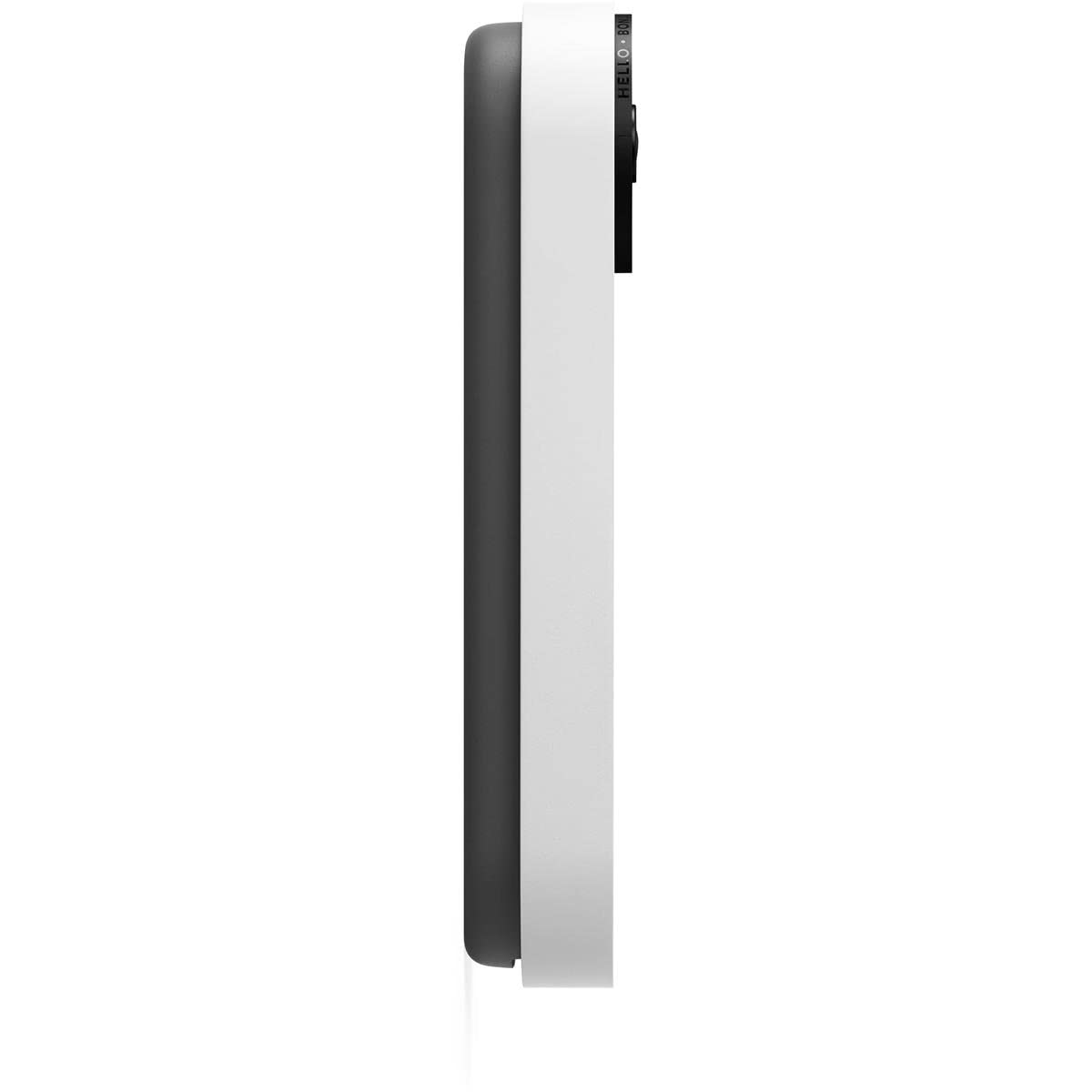
Depth0.95 inches / 24.1 mm
Weight7.3 oz / 206 g
DesignCompact vertical doorbell design
MountingLocking wall mount
Viewing Adjustment20° wedge included

10Weather & Environmental Specifications

SpecificationDetails
Weather ResistanceIP54
Operating Temperature-20°C to 40°C / -4°F to 104°F
Relative Humidity20% to 85%
Outdoor UseDesigned for outdoor doorbell installations
Dust ProtectionIP54 protection against limited dust ingress
Water ResistanceIP54-rated enclosure helps protect the device from normal outdoor exposure
Hot WeatherInstallation should account for local outdoor temperatures and direct sunlight

11Privacy & Security

Security FeatureDetails
On-Device Machine LearningSupported detection tasks can be processed on the device
Secure BootHelps verify trusted software when the device starts
EncryptionTLS/SSL with 128-bit AES encryption
Automatic Security UpdatesSupported security updates are delivered automatically
Two-Step VerificationAvailable as an additional Google Account security option
Google AccountRequired for connected Google Home features
Security SupportGoogle states that the device receives security updates for at least five years from its first US Google Store sale

12Google Home Integration

FeatureDetails
Google Home AppUsed to set up and manage the doorbell
Google AccountRequired for connected features
Google Nest SpeakersCompatible speakers can announce when someone presses the doorbell
Google Nest DisplaysCompatible displays can provide supported doorbell notifications and interactions
Phone AlertsReceive visitor and activity notifications through Google Home
Live VideoView the camera remotely through supported Google Home devices and services
Smart Home ControlWorks with compatible Google smart home devices

13Video History & Storage

FeatureDetails
Live View24/7 live video view is supported
Event HistoryVideo event history depends on the current Google Home service and account configuration
Cloud FeaturesSupported video history and remote services use Google's connected cloud infrastructure
Subscription FeaturesSome advanced video history and detection functions may require Google Home Premium
Local StorageNo removable local storage card is provided as the primary recording method
Internet DependencyRemote video and cloud-connected features require internet connectivity
Service note: Google can change subscription plans, storage periods and feature availability. Always check the current Google Home plan available for your region.

14Sensors & Status Indicators

ComponentDetails
PIR SensorPassive infrared motion and proximity sensor
MagnetometerBuilt-in magnetometer sensor
Camera Sensor1.3-megapixel color sensor
IR SensorsFour 850 nm infrared LEDs for night vision
White Status RingProvides doorbell status indication
RGB Status LightCommunicates supported device states and activity

15Mounting & Installation Hardware

HardwareDetails
Base PlateIncluded
Locking MountUsed to secure the doorbell to the mounting plate
20° WedgeIncluded to adjust the viewing angle
Wedge Screws2 included
Wall ScrewsIncluded
Wall AnchorsIncluded
Spacers2 included
Release ToolIncluded for removing the doorbell from its mount
Wire ConnectorIncluded for optional wired installation

16Installation Guide

  1. Choose the location: Select a position that gives the camera a clear view of the entrance, visitors and package area.
  2. Check Wi-Fi: Confirm that the selected location has reliable Wi-Fi coverage.
  3. Choose battery or wired installation: The doorbell can operate from its rechargeable battery or use existing wiring for chime and recharging.
  4. Charge the doorbell: Before a battery installation, charge the internal battery using the supplied charging cable.
  5. Position the base plate: Hold the base plate at the desired mounting height.
  6. Use the wedge if required: Fit the supplied 20° wedge if the camera needs a different viewing angle.
  7. Mark the mounting holes: Mark the correct positions for screws and anchors.
  8. Install anchors: Use suitable wall anchors for the installation surface.
  9. Secure the mount: Fasten the base plate and wedge securely to the wall.
  10. Attach the doorbell: Lock the doorbell into the mounting system.
  11. Set up Google Home: Open the Google Home app and follow the instructions to add the doorbell.
  12. Connect Wi-Fi: Select the appropriate supported wireless network.
  13. Configure alerts: Set activity notifications and detection preferences.
  14. Test the camera: Check live video, night vision and the viewing angle.
  15. Test audio: Use two-way talk to confirm microphone and speaker operation.
  16. Test the doorbell: Press the button and confirm notifications on the phone or compatible Google devices.
Professional installation: If you want to connect the doorbell to existing wiring or need changes to the transformer or chime system, use a qualified installer.

17Optional Wired Installation

SpecificationRequirement
Voltage8–24 VAC
Power10 VA
Frequency50/60 Hz
PurposeExisting wiring can provide power for battery recharging and compatible chime operation
Battery Still PresentYes. Wired installation does not remove the internal rechargeable battery
Cold TemperatureBelow 0°C / 32°F, the battery must still be charged using the charging cable
Existing ChimeCan ring with compatible wired installation

18Safety Instructions

Safety PointInstruction
Power SourceUse only the specified low-voltage supply for wired installation
Mains ElectricityNever connect the doorbell directly to 110V or 220V mains electricity
Wiring WorkSwitch off the doorbell circuit before handling existing wiring
BatteryDo not attempt to open, puncture or replace the built-in lithium-ion battery yourself
ChargingUse the supplied or compatible charging cable and follow Google's charging instructions
MountingEnsure the mount is firmly attached to the wall before fitting the doorbell
Outdoor PositionInstall within the specified temperature and environmental limits
Professional AssistanceUse a qualified installer for electrical or transformer work

19What's in the Box

ItemQuantity / Details
Google Nest Doorbell1 × Nest Doorbell (battery)
Base Plate1 × mounting base
Release Tool1 × doorbell removal tool
Wall AnchorsIncluded
Wall ScrewsIncluded
Wire Connector1 × for optional wired installation
20° Wedge1 × viewing-angle adjustment wedge
Spacers2 × spacers
Wedge Screws2 × screws
Charging Cable1 × 1 m / 3 ft cable
Quick Start GuideIncluded
Safety & Warranty DocumentIncluded

20System Requirements

RequirementDetails
Google AccountRequired for Google Home connected features
Google Home AppRequired for setup and management
Wi-FiCompatible Wi-Fi network required
InternetWorking internet connection required for connected functions
BluetoothBluetooth Low Energy supported
Mobile DeviceCompatible Android or iOS device
Battery ChargingCharging cable required to recharge the internal battery
Optional Wired Power8–24 VAC, 10 VA, 50/60 Hz
Installation SurfaceSuitable wall or entrance surface capable of securely holding the mounting hardware

21Installation Considerations for Dubai & UAE

ConsiderationRecommendation
Battery InstallationUseful for entrances where existing doorbell wiring is unavailable or unsuitable
Wired InstallationExisting compatible wiring can be used for chime operation and battery recharging
Wi-Fi CoverageCheck wireless signal strength at the entrance before installation
Outdoor HeatThe specified operating range is -20°C to 40°C, so avoid unnecessarily hot or enclosed locations
Direct SunlightChoose a practical mounting position that limits prolonged direct heat exposure where possible
Charging AccessMake sure the doorbell can be safely removed for charging when battery installation is used
Electrical WorkUse a qualified installer if existing wiring, transformer or chime changes are required

22Basic Troubleshooting

ProblemWhat to Check
Doorbell will not turn onCharge the battery and confirm the charging connection.
Battery drains quicklyCheck activity levels, video settings, Wi-Fi strength, temperature and notification frequency.
No Wi-Fi connectionCheck Wi-Fi coverage, network credentials and internet availability.
Video is delayedCheck Wi-Fi strength and internet performance.
Video quality is poorCheck network conditions, camera lens and available bandwidth.
No wired chimeCheck that wired installation is correctly connected and the transformer meets 8–24 VAC, 10 VA requirements.
No notificationCheck Google Home notification permissions, account settings and internet connectivity.
Night video is darkClean the camera lens and check that the infrared view is not blocked.
Two-way audio does not workCheck phone permissions, volume, microphone/speaker settings and network connectivity.
Battery does not charge in cold weatherWhen temperatures are below 0°C / 32°F, use the charging cable as specified by Google.

23Key Features at a Glance

FeatureWhat You Get
Battery PoweredRechargeable 6 Ah, 3.65 V lithium-ion battery
HD Video960 × 1280 resolution with 3:4 aspect ratio
HDRBetter detail across challenging lighting conditions
145° ViewWide-angle coverage around the entrance
6× Digital ZoomZoom into areas of the live camera view
24/7 Live ViewCheck the entrance remotely through supported services
Night VisionFour 850 nm infrared LEDs with IR cut filter
Two-Way AudioTalk and listen to visitors from your phone
Noise CancellationHelps improve two-way conversations
Person DetectionSmart alerts for detected people
Package DetectionSupported package-related alerts
Animal DetectionSupported animal alerts
Vehicle DetectionSupported vehicle alerts
PIR SensorMotion and proximity sensing
MagnetometerBuilt-in magnetometer sensor
Google HomeApp-based setup, monitoring and notifications
IP54Weather-resistant outdoor design
20° WedgeIncluded viewing-angle adjustment
Optional Wired Mode8–24 VAC, 10 VA, 50/60 Hz

?Frequently Asked Questions

What is the Google Nest Doorbell Battery?

It is a smart video doorbell with a built-in rechargeable battery, HD video, HDR, night vision, intelligent alerts and Google Home integration.

Is this doorbell completely wireless?

It can operate from its built-in rechargeable battery without permanent doorbell wiring. Existing wiring can also be used for chime operation and battery recharging.

What resolution does the Nest Doorbell Battery use?

The camera provides HD video at 960 × 1280 pixels, with a 3:4 aspect ratio and up to 30 FPS.

What is the field of view?

It provides a 145° diagonal wide-angle field of view.

Does it support HDR?

Yes. High Dynamic Range is supported.

Does it have night vision?

Yes. The doorbell uses four 850 nm infrared LEDs and an IR cut filter for night vision, with visibility up to approximately 3.05 metres.

Does it have a rechargeable battery?

Yes. It has a built-in rechargeable lithium-ion battery rated at 6 Ah and 3.65 V.

How is the battery charged?

The battery can be recharged using the included 1 m / 3 ft charging cable.

Can I connect the doorbell to existing wiring?

Yes. Existing compatible wiring can be used for chime operation and battery recharging. The wired connection requires 8–24 VAC, 10 VA and 50/60 Hz.

Will my existing doorbell chime work?

With battery-only installation, the existing wired chime will not ring. With compatible wired installation, the existing wired chime can ring when the doorbell button is pressed.

Can Google speakers announce visitors?

Yes. Compatible Google Nest speakers and displays can provide notifications when someone presses the doorbell.

Can I talk to visitors?

Yes. The built-in microphone and speaker provide two-way audio with noise cancellation.

Can it detect people and packages?

Yes. Supported smart alerts can identify people, packages, animals and vehicles.

Can I set activity zones?

Yes. Supported activity-zone settings allow you to focus alerts on selected parts of the camera view.

Does it work with the Google Home app?

Yes. The Google Home app is used to set up and manage the doorbell.

Does it need Wi-Fi?

Yes. A working Wi-Fi internet connection is required for connected features such as remote viewing, notifications and cloud services.

Does it support 5 GHz Wi-Fi?

In the US version, the doorbell supports 2.4 GHz and 5 GHz Wi-Fi. Google's specifications list 2.4 GHz Wi-Fi for the rest of the world.

Is the Nest Doorbell Battery weather resistant?

Yes. It has an IP54 rating and is designed for outdoor use within its specified operating conditions.

What is its operating temperature?

The specified operating temperature is -20°C to 40°C, or -4°F to 104°F.

What are the dimensions?

The doorbell measures approximately 160 mm high, 46 mm wide and 24.1 mm deep, with a weight of approximately 206 g.

Does it include a 20° wedge?

Yes. A 20° wedge is included to adjust the camera's viewing angle.

Does it include a charging cable?

Yes. A 1 m / 3 ft charging cable is included.

What is included in the box?

The box includes the Nest Doorbell, base plate, release tool, wall anchors, wall screws, wire connector, 20° wedge, two spacers, two wedge screws, 1 m charging cable, quick start guide and safety/warranty documentation.

Can I install it in a home without an existing doorbell?

Yes. Battery installation is designed for locations where you do not have suitable existing doorbell wiring.

Is it suitable for Dubai and UAE homes?

Yes, provided it is installed within the specified temperature range and has reliable Wi-Fi coverage. Battery installation can be useful where existing doorbell wiring is unavailable.

Can it be used outside in hot weather?

It is designed for outdoor use from -20°C to 40°C. In very hot conditions, choose a mounting position that avoids unnecessary direct heat exposure.

Does the battery last for a fixed number of days?

Battery life is not a single fixed figure. It varies according to activity, settings, temperature, video use, Wi-Fi conditions and other factors.

Does it require a paid subscription?

Basic connected functionality is available, while some advanced recording, detection and history features may depend on a Google Home Premium subscription and regional availability.

Is the battery replaceable by the user?

The battery is built into the device. It is not designed as a user-replaceable battery.

Is the device secure?

Security features include on-device machine learning, secure boot, automatic security updates, TLS/SSL with 128-bit AES encryption and optional two-step verification.

How long does Google provide security updates?

Google states that the Nest Doorbell Battery receives automatic security updates for at least five years from the date it was first sold on the US Google Store.

Can I use it with Google Assistant?

It works within the Google smart home ecosystem and can interact with compatible Google Assistant-enabled devices and services.

What should I check before installation?

Check the Wi-Fi signal, mounting surface, desired camera angle and whether you want battery-only or compatible wired installation.

Is professional installation required?

Battery installation is designed to be straightforward, but professional help is recommended when connecting existing wiring or making electrical changes.

Customer reviews

0 Reviews Write a review

Write a review

No reviews yet.

Cart

Your cart is currently empty

Continue shopping