0 Reviews

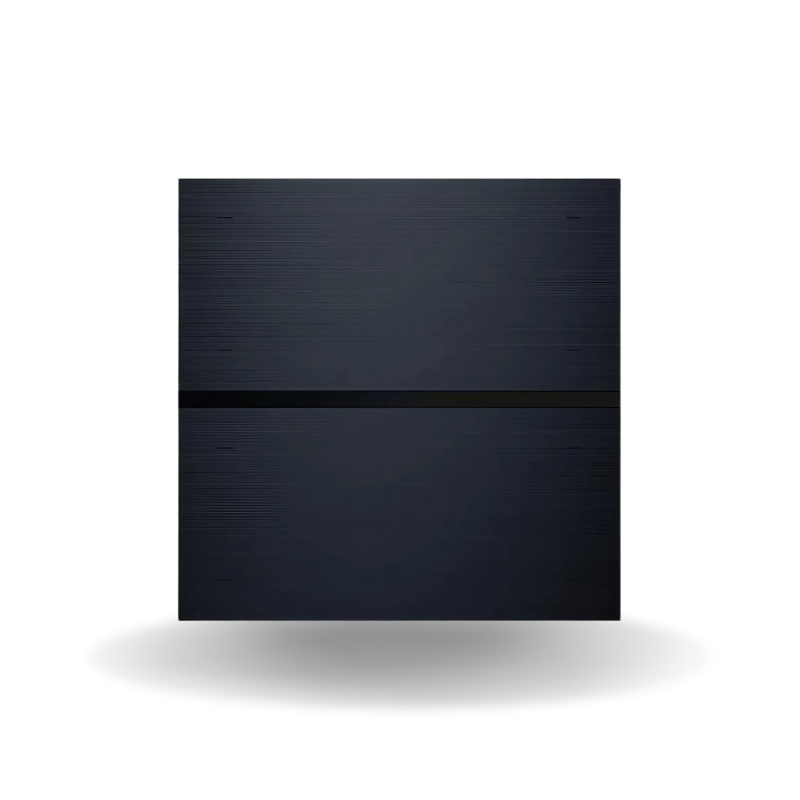
Mixswitch Bach

50.00 100.00 50
Availability:
Out of stock
Quantity:
SKU:
SG-111005

MixSwitch Bach in Dubai

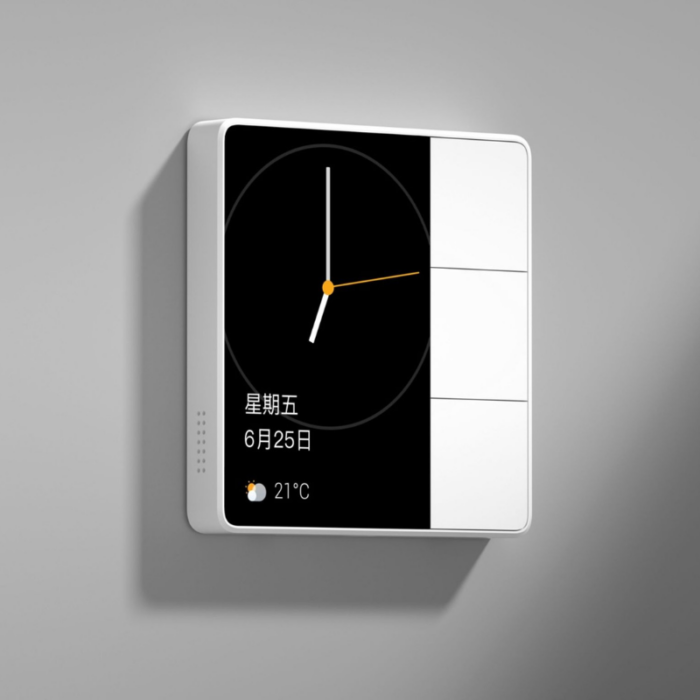
Enhance​‍​‌‍​‍‌​‍​‌‍​‍‌ the style and comfort of your residence with the MixSwitch Bach from SG Automations Dubai.

It's an innovative smart touch switch that allows you to control your lighting in a very simple manner by using your touch, app, or voice command - thus, it is a perfect solution for luxurious villas and high-end apartments with smart features throughout the UAE.

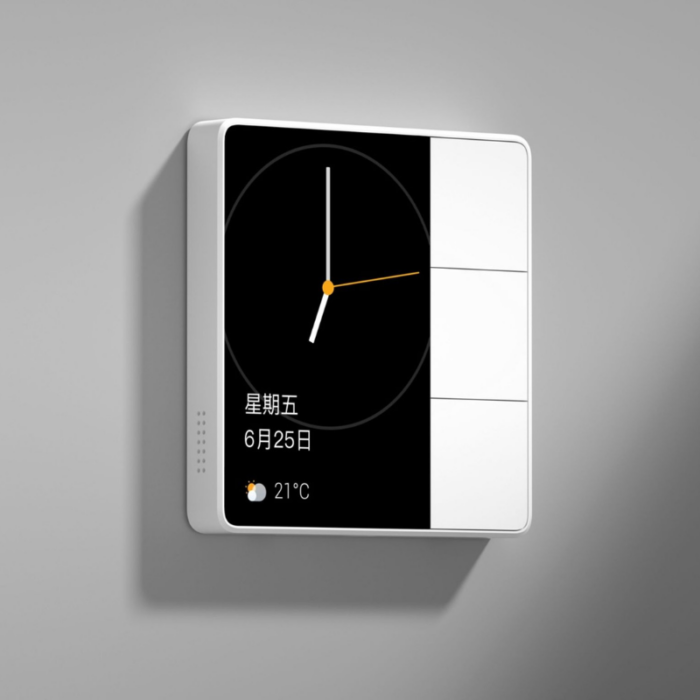
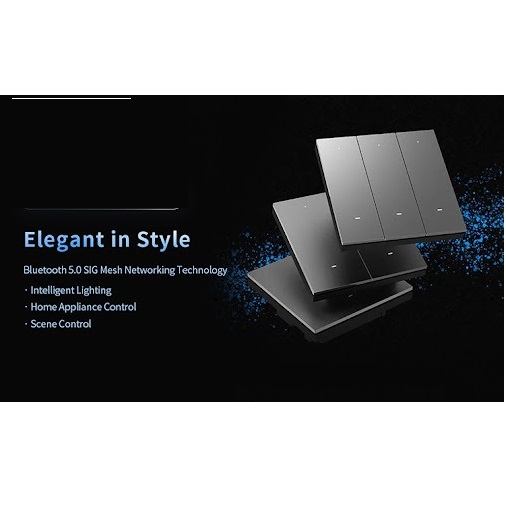
The MixSwitch Bach is a perfect combination of a luxury item and an intelligent device as it features a minimalist design, uses premium materials, and offers a multi-functional control option.

Moreover, the device is compatible with widely used ecosystems such as Alexa, Google Home, and ZigBee and thus, it can easily be connected to your smart home system without any ​‍​‌‍​‍‌​‍​‌‍​‍‌interruption.

Why Choose SG Automations Dubai

SG​‍​‌‍​‍‌​‍​‌‍​‍‌ Automations brings smart home innovation and design excellence not only to Dubai but also to the entire Gulf area.

With our MixSwitch Bach line, we are the future of control, simple automation, and refined looks, which fits perfectly both your comfort and ​‍​‌‍​‍‌​‍​‌‍​‍‌lifestyle.

Product Type normal
Sku SG-111005
Product Code SG-111005
Category Id 30
Alternate Product Name Mixswitch Bach
Status 1

1Basic Product Information

Attribute Details
Product Name MixSwitch Bach
Product Type Smart wall switch and smart scene control panel
Product Category Smart Switches
Brand ORVIBO
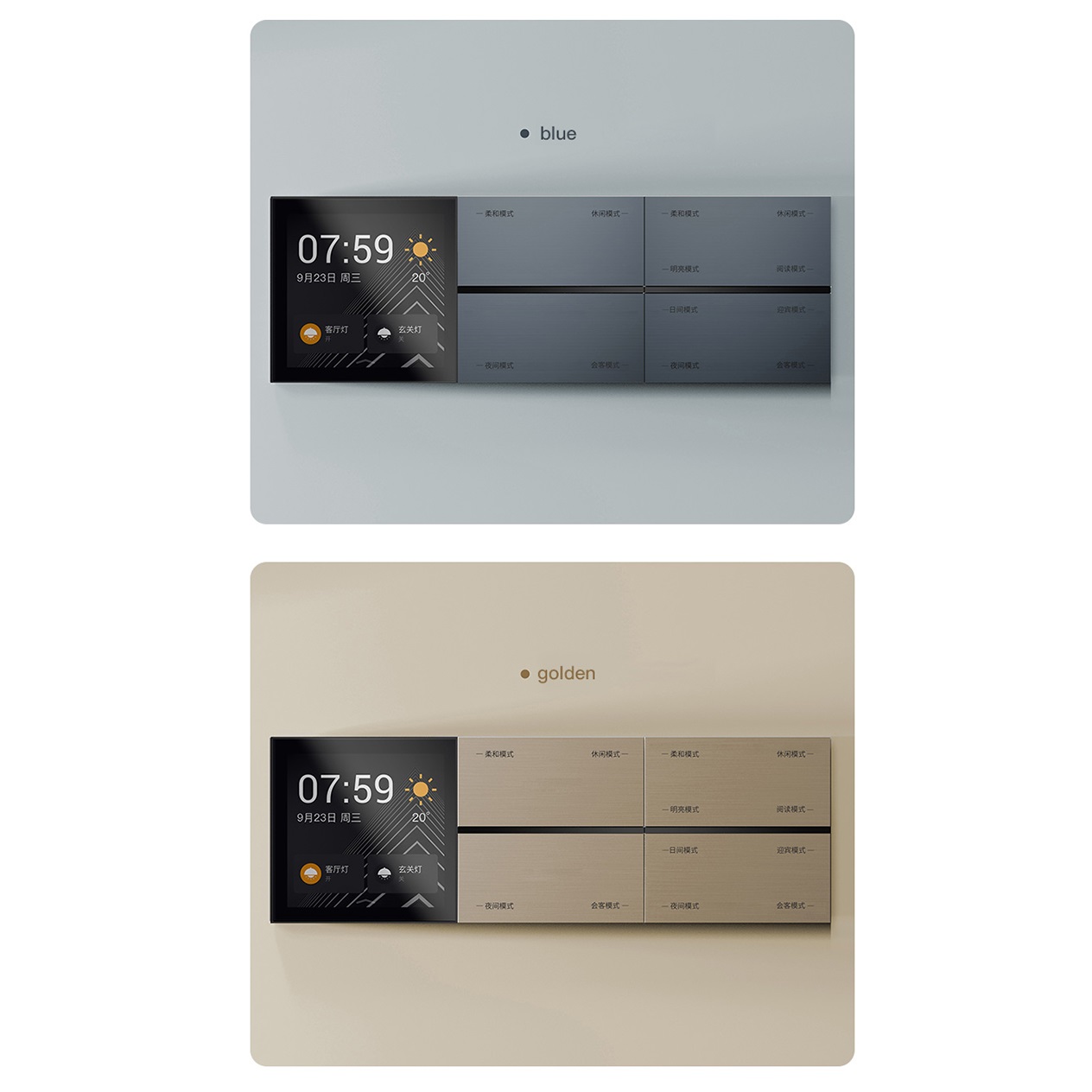
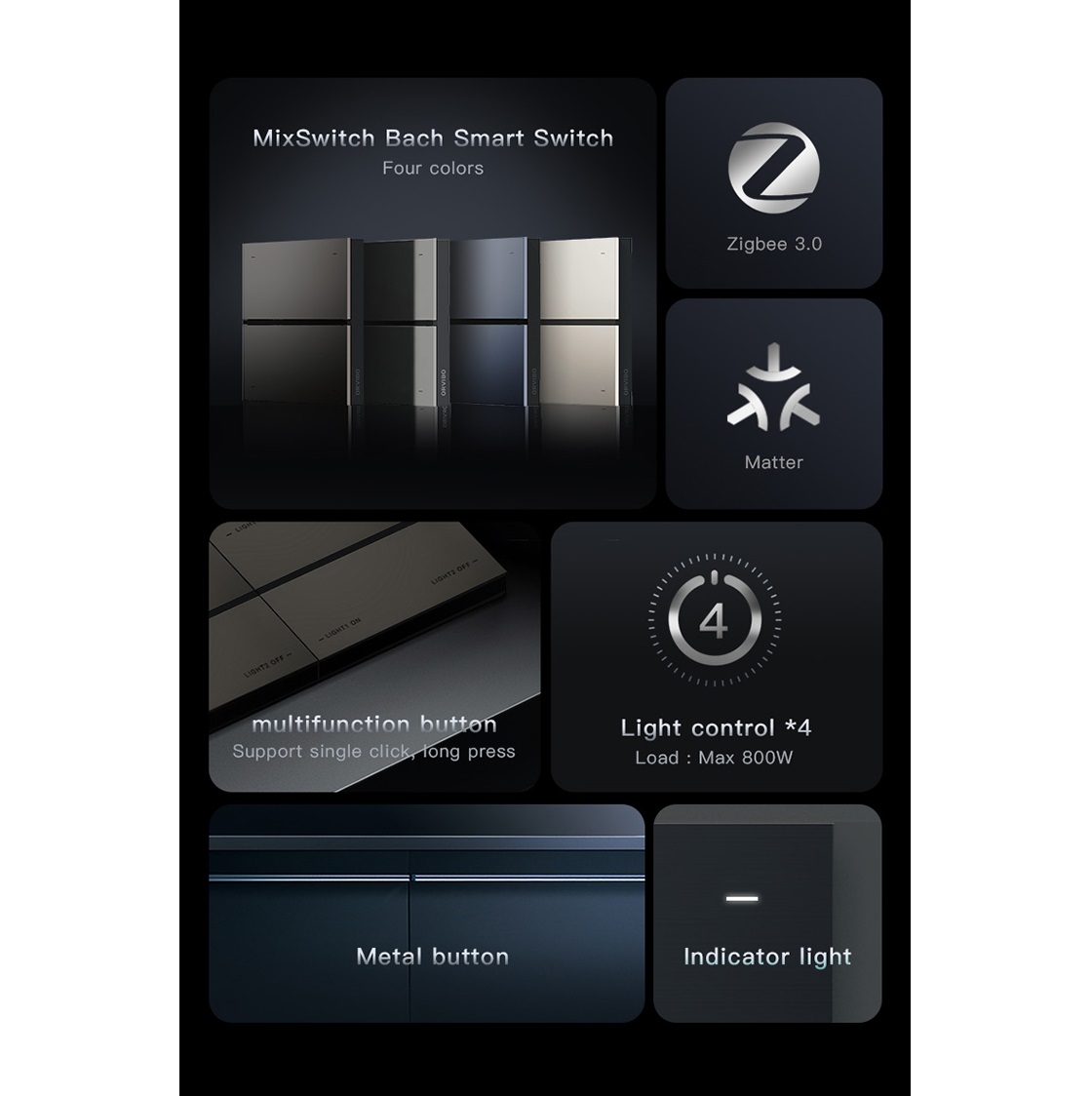
Switch Configuration 4-gang / 8-gang button configuration
Communication Zigbee 3.0
Power Supply 220V AC, Live and Neutral, 50/60Hz
Installation Standard 86 wall box with side-by-side installation support
Primary Application Smart lighting, scene control and home automation
Recommended Location Dubai, UAE

2Design & Appearance

Feature Details
Design Style Modern decorative smart switch designed to combine everyday lighting control with smart-home functions.
Product Size 86 × 86 × 38.3 mm
Button Material Metal button construction
Installation Format Standard 86 wall box format
Installation Style Suitable for individual installation or side-by-side installation.
Interior Use Suitable for contemporary apartments, villas, bedrooms, living rooms and other indoor spaces.
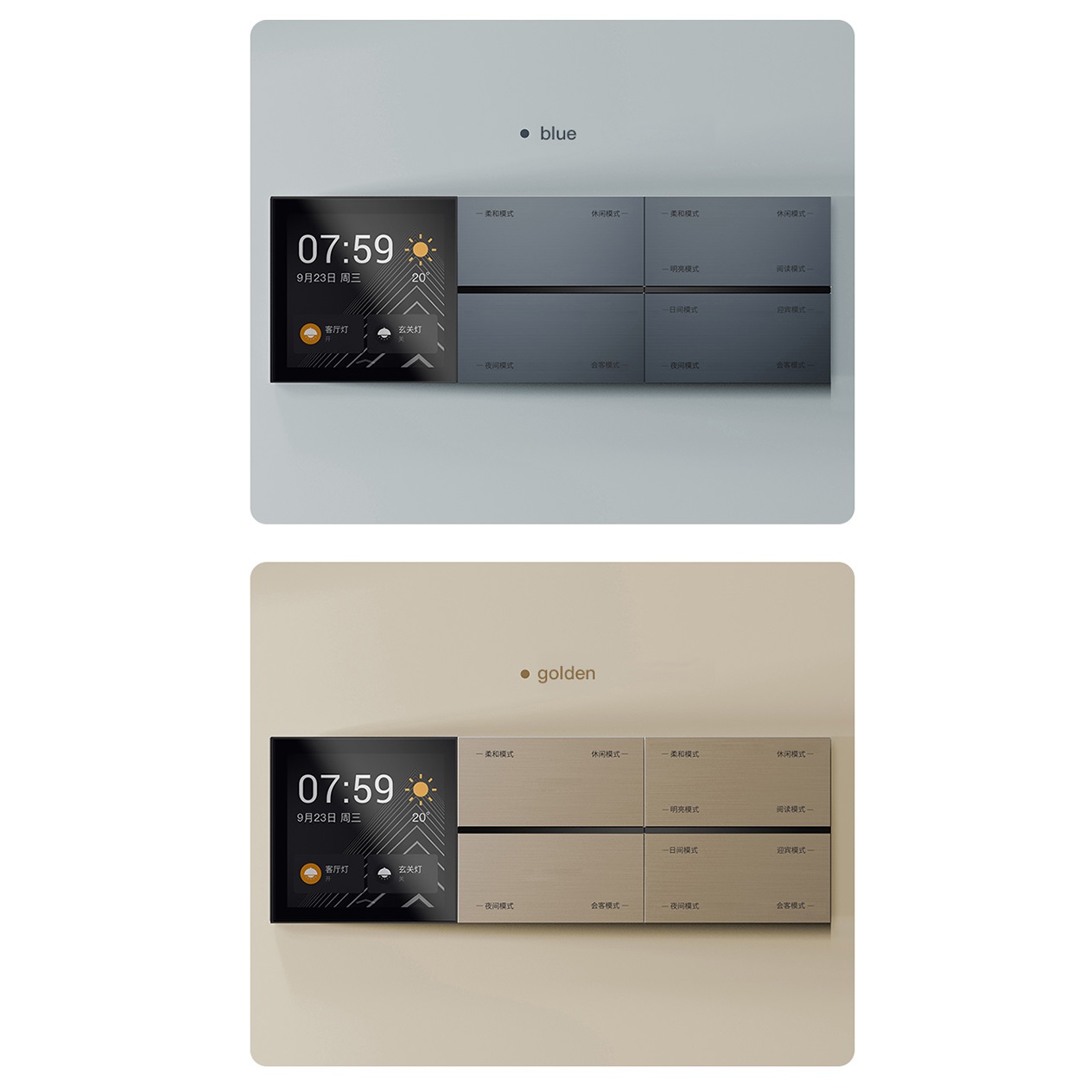
Button Customisation Button names can be customised to make different lighting or scene functions easier to identify.
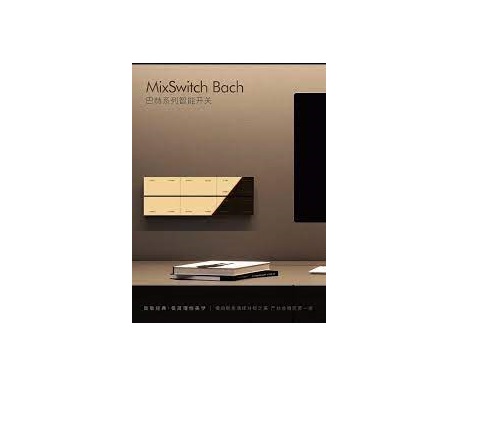
The Bach design focuses on giving a smart switch a more refined, furniture-like appearance while keeping everyday button control simple.

3Technical Specifications

Specification Details
Model MixSwitch Bach
Product Size 86 × 86 × 38.3 mm
Input Power 220V AC, Live/Neutral
Frequency 50/60Hz
Communication Protocol Zigbee 3.0
Lighting Control Loops 4 lighting control loops
Button Configuration Available as 4-gang or 8-gang smart switch configurations.
Maximum Load Per Loop Up to 800W per loop
Maximum Total Load Up to 1200W total
Compatible Loads Incandescent lamps, LED lamps, energy-saving lamps and other supported lighting loads.
Installation Box Standard 86 wall box
Installation Method Side-by-side installation supported
Button Material Metal

44-Gang & 8-Gang Options

Version Function Best For
4-Gang Four-button smart control arrangement with four lighting control loops. Bedrooms, smaller rooms, corridors and focused lighting zones.
8-Gang Eight-button interface offering more physical control points within the same switch format. Large rooms, villas and spaces requiring more scene or button assignments.
Custom Button Names Button labels can be configured according to the selected use. Homes where different buttons control specific lights, scenes or areas.
The number of physical buttons and the number of directly connected lighting loops are not necessarily the same. Some buttons can be assigned to smart scenes or other compatible functions.

5Smart Control & MixCtrl

Feature How It Helps
Smart Button Control Buttons can be used for normal lighting control as well as configured smart functions.
Scene Control A button can be assigned to activate a predefined smart-home scene.
Device Control Compatible configurations can allow a button to trigger another smart device or function.
Two-Way Style Control A second compatible scene-control point can be configured to operate the same light without running additional physical wiring between the control locations.
Custom Button Functions Button functions can be arranged around the way each room is actually used.
Smart Scene Panel The switch can work as both a conventional lighting switch and a smart scene interface.
Smart scene and device-control functions depend on the compatible Zigbee gateway, software configuration and supported devices in the installation.

6Zigbee 3.0 Connectivity

Zigbee 3.0 Smart Scenes Wireless Automation Multi-Device Control Smart Lighting
Wireless Protocol Zigbee 3.0
Smart Network Designed to communicate with compatible Zigbee smart-home devices.
Gateway A compatible Zigbee gateway is required for broader smart-home and scene-control functions.
Automation Can form part of a wider smart-home network where lighting, scenes and compatible devices work together.
Physical Control The switch can still provide direct button control of connected lighting even when smart-home functions are not being used.

7Smart Scene Examples

Scene Possible Action
Good Morning Turn on selected bedroom or living-area lighting and activate other compatible morning routines.
Movie Time Switch off unnecessary lights while keeping selected ambient lighting active.
Dinner Activate dining lights and selected decorative lighting with one button.
Relax Set the room lighting to the preferred evening arrangement.
Good Night Turn off selected lights and trigger other compatible night-time routines.
Leaving Home Use one configured action to switch off selected lighting and activate compatible away-mode functions.

8Lighting Load & Compatibility

Item Specification / Guidance
Maximum Per Loop Up to 800W per loop according to the stated product specification.
Total Load Total connected load should remain at or below 1200W.
LED Lamps Supported, subject to the electrical characteristics and actual load of the connected lighting.
Incandescent Lamps Supported according to the product specification.
Energy-Saving Lamps Supported according to the product specification.
Other Loads Do not connect a load unless it is suitable for the switch and remains within the rated limits.
Load Verification The exact lamp and driver specifications should be checked before installation, particularly for LED loads.
Never exceed the rated load. Actual performance can vary depending on the lamp, driver, electrical installation and operating conditions.

9Safety & Protection

Protection Feature Details
Relay Durability ORVIBO's product information reports more than 60,000 relay switching operations in laboratory testing.
Button Durability ORVIBO reports more than 120,000 button presses in its referenced testing.
Surge Protection The product information references a 4KV surge-resistance test for the Bach series.
Overload Protection The product includes overload protection intended to help protect the switch when connected loads exceed the permitted range.
Fire Resistance The product information references UL94V-0 fire-resistance performance.
Material Metal button construction is specified for the product.
Test results are laboratory reference values. Real-world performance and service life depend on installation quality, electrical conditions, connected loads and usage.

10Installation & Setup Instructions

MixSwitch Bach is a mains-powered smart switch. Electrical installation should be completed by a qualified electrician and local electrical requirements should always be followed.
  1. Select the correct version: Choose the 4-gang or 8-gang configuration according to the required button layout.
  2. Check the wall box: Confirm that the installation location uses a compatible standard 86 wall box.
  3. Prepare the wiring: The required Live and Neutral supply should be available at the installation point.
  4. Plan the lighting circuits: Make sure the connected lighting circuits are suitable for the switch and remain within the rated load.
  5. Switch off the power: Completely isolate the mains supply before beginning electrical work.
  6. Connect the wiring: Connect the power and lighting-load wires according to the wiring diagram for the exact model.
  7. Secure the switch: Fix the switch into the wall box and ensure that the faceplate is aligned correctly.
  8. Check the installation: Verify that all electrical connections are secure before restoring power.
  9. Restore power: Turn the circuit back on after the electrical installation has been checked.
  10. Test the physical buttons: Confirm that each connected lighting loop responds correctly.
  11. Connect the Zigbee gateway: Use a compatible gateway if smart scenes, app control or connected-device functions are required.
  12. Add the switch: Pair the MixSwitch Bach with the compatible smart-home system.
  13. Configure buttons: Assign button names and smart functions according to the room's requirements.
  14. Create scenes: Link buttons with compatible lights, devices or automation routines.
  15. Test everything: Test both direct lighting control and the configured smart-home functions before completing the setup.

11Installation Requirements

Requirement Recommended Preparation
Wall Box Standard 86 wall box.
Power Supply 220V AC Live and Neutral supply.
Frequency 50/60Hz.
Lighting Loops Up to four connected lighting control loops according to the stated specification.
Load Planning Maximum 800W per loop and maximum total connected load of 1200W.
Zigbee Gateway Required when using the switch as part of a wider Zigbee smart-home system.
Professional Installation Recommended because the product connects to mains electricity.

12Side-by-Side Installation

Feature Details
Multiple Switches Multiple Bach switches can be installed alongside each other where the wall layout allows.
86 Format The switch uses the standard 86 mm installation format.
Planning Wall-box positions should be planned carefully before installation to maintain a clean alignment.
Use Case Useful in larger villas and rooms where several lighting zones need to be controlled from one wall location.
Final Appearance Correct alignment creates a cleaner, more integrated switch arrangement.

13Recommended Applications

Area Possible Application
Living Room Control main lighting, decorative lights and smart scenes from one wall location.
Bedroom Control bedroom lights and create convenient evening or bedtime scenes.
Dining Room Control dining lights and create dedicated dining or entertaining scenes.
Villa Useful for multi-room lighting control and wider home automation projects.
Apartment Provides smart lighting control without making the wall look overly technical.
Hotel & Hospitality Can be considered for compatible smart lighting and scene-control installations.
Smart Home Projects Suitable as a physical control point within a Zigbee-based automation system.

14Key Benefits

Smart & Physical Control Combines the simplicity of a physical switch with smart-home functionality.
Zigbee 3.0 Designed for integration with compatible Zigbee smart-home systems.
Multiple Button Options Available in 4-gang and 8-gang configurations to suit different control requirements.
Scene Automation Buttons can be assigned to scenes and compatible smart-home actions.
Custom Button Names Buttons can be named according to the room, light or function they control.
High Load Capacity Supports up to 800W per loop with a stated total-load limit of 1200W.
Modern Design Metal buttons and a compact 86 mm format give the switch a refined appearance.
Side-by-Side Installation Multiple compatible switches can be arranged together for larger lighting systems.

15Everyday Use

Use Example
Normal Lighting Press the assigned button to turn the connected light on or off.
Scene Button Press a configured button to activate a complete smart-home scene.
Room Control Use different buttons for separate lighting zones within the same room.
Night Routine Use a dedicated button to activate a bedtime or night-time scene.
Away Routine Use one configured button to switch off selected lighting and trigger compatible away functions.

16Care & Maintenance

Cleaning Use a soft, clean cloth to remove dust and fingerprints from the switch surface.
Cleaning Products Avoid abrasive materials and harsh chemicals that could affect the finish.
Electrical Inspection Electrical connections should only be inspected or serviced by a qualified professional.
Smart Connectivity If smart functions stop responding, check the Zigbee gateway and network before changing the electrical installation.
Load Check Ensure that connected lighting remains within the rated load limits.

17Important Product Notes

Actual Performance Real-world results can vary depending on the electrical installation, connected lamps, network conditions and environment.
Load Limits Do not exceed 800W on an individual loop or the stated 1200W total load limit.
Smart Functions Some smart functions require a compatible Zigbee gateway and supported smart-home ecosystem.
Electrical Work Always disconnect the mains supply before installation or servicing.
Product Revisions Specifications, colours, components and product details can change between production batches.
Professional Advice For new installations or complex automation projects, confirm compatibility before purchasing and installing.

?Frequently Asked Questions

What is MixSwitch Bach?

MixSwitch Bach is a Zigbee-based smart switch designed for lighting control and smart-home scene management. It combines physical buttons with configurable smart functions.

Is MixSwitch Bach a Zigbee smart switch?

Yes. MixSwitch Bach uses the Zigbee 3.0 communication protocol for compatible smart-home integration.

How many buttons does MixSwitch Bach have?

The Bach range is available in 4-gang and 8-gang configurations, providing different button arrangements for different rooms and control requirements.

How many lighting circuits can it control?

The stated product specification supports four lighting control loops, with the available button configurations providing additional options for smart scene and device assignments.

What is the maximum load per loop?

The stated maximum load is up to 800W per loop.

What is the maximum total load?

The stated maximum total connected load is 1200W.

What type of lights can MixSwitch Bach control?

The product specification lists incandescent lamps, LED lamps and energy-saving lamps among the supported lighting loads.

Does MixSwitch Bach require a neutral wire?

Yes. The stated power supply uses a Live and Neutral connection at 220V AC.

What is the size of MixSwitch Bach?

The product measures 86 × 86 × 38.3 mm.

What type of wall box is required?

MixSwitch Bach is designed for a standard 86 wall box installation.

Can multiple MixSwitch Bach units be installed together?

Yes. The product supports side-by-side installation, making it practical for rooms with several lighting control points.

Can the buttons be customised?

Yes. Button names can be customised so users can identify functions such as bedroom light, dining light, curtains or a specific smart scene more easily.

Can a button control a smart scene?

Yes. Compatible button functions can be configured to activate smart scenes rather than being limited to direct lighting control.

Can MixSwitch Bach control other smart devices?

Compatible smart-home configurations can assign buttons to other supported devices or automation scenes through the connected smart-home system.

Does MixSwitch Bach support two-way style lighting control?

A compatible smart scene-control point can be configured to operate the same lighting function from another location without adding a traditional wired two-way connection between the switches.

Does MixSwitch Bach need a Zigbee gateway?

The physical switch can provide direct button control, while broader smart-home features such as app-based scenes and connected-device automation require a compatible Zigbee gateway or controller.

Is MixSwitch Bach suitable for villas in Dubai?

Yes. Its multi-button design, Zigbee connectivity and scene-control functions make it suitable for villa lighting and smart-home automation projects when correctly configured.

Is professional installation recommended?

Yes. Because the wired version connects to mains electricity, installation should be performed by a qualified electrician.

Can MixSwitch Bach be used with LED lights?

Yes. LED lamps are included among the supported load types, but the actual lamp and driver should be checked to ensure the connected load is suitable and within the rated limits.

Does MixSwitch Bach have overload protection?

The product information describes overload protection designed to help protect the switch when the connected load exceeds the permitted range.

How durable is the relay?

ORVIBO reports more than 60,000 relay switching operations in its internal laboratory testing. Actual service life depends on installation and usage conditions.

Is MixSwitch Bach fire resistant?

The product information references UL94V-0 fire-resistance performance.

Customer reviews

0 Reviews Write a review

Write a review

No reviews yet.

Cart

Your cart is currently empty

Continue shopping