0 Reviews

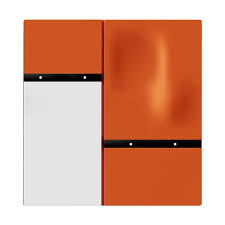
Mixswitch Defy Series

50.00 100.00 50
Availability:
Out of stock
Quantity:
SKU:
SG-111004

MixSwitch Defy Series in Dubai


SG​‍​‌‍​‍‌​‍​‌‍​‍‌ Automations Dubai brings the MixSwitch Defy Series to you to help you completely change how you control lighting and other devices.

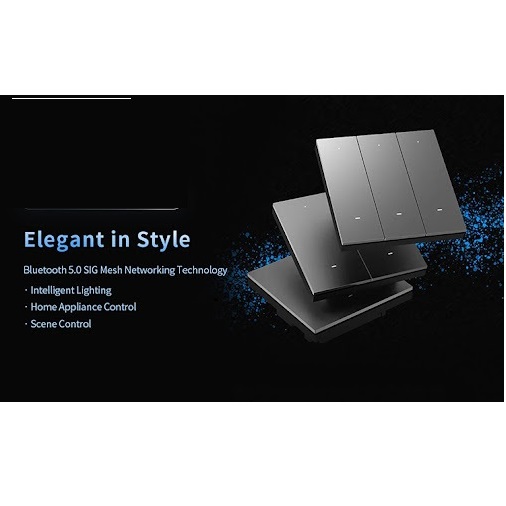
These trendy wall switches are equipped with capacitive touch panels, app and voice control, as well as effortless integration with Google Home, Alexa, and ZigBee systems for the smart homes of tomorrow.

The Defy Series is a beauty inside and out and is made to last. Besides that, it is very easy and safe to use the Defy Series. With this series you get intuitive and reliable control of your lights, fans, and home appliances.

After installation of this series, any traditional switchboard will be a smart automation hub — the best choice for villas, offices, and luxury apartments throughout the ​‍​‌‍​‍‌​‍​‌‍​‍‌UAE.


Why Choose SG Automations Dubai


At​‍​‌‍​‍‌​‍​‌‍​‍‌ SG Automations, our specialty is luxury smart home automation solutions all over Dubai and the Gulf.

Firstly, the MixSwitch Defy Series of our product line is very attractive with its futuristic design, smooth connection, and simple installation, thus enabling you to control everything with a single tap or voice ​‍​‌‍​‍‌​‍​‌‍​‍‌command.

Product Type normal
Sku SG-111004
Product Code SG-111004
Category Id 30
Alternate Product Name Mixswitch Defy Series
Brand Orvibo
Status 1

1Product Overview

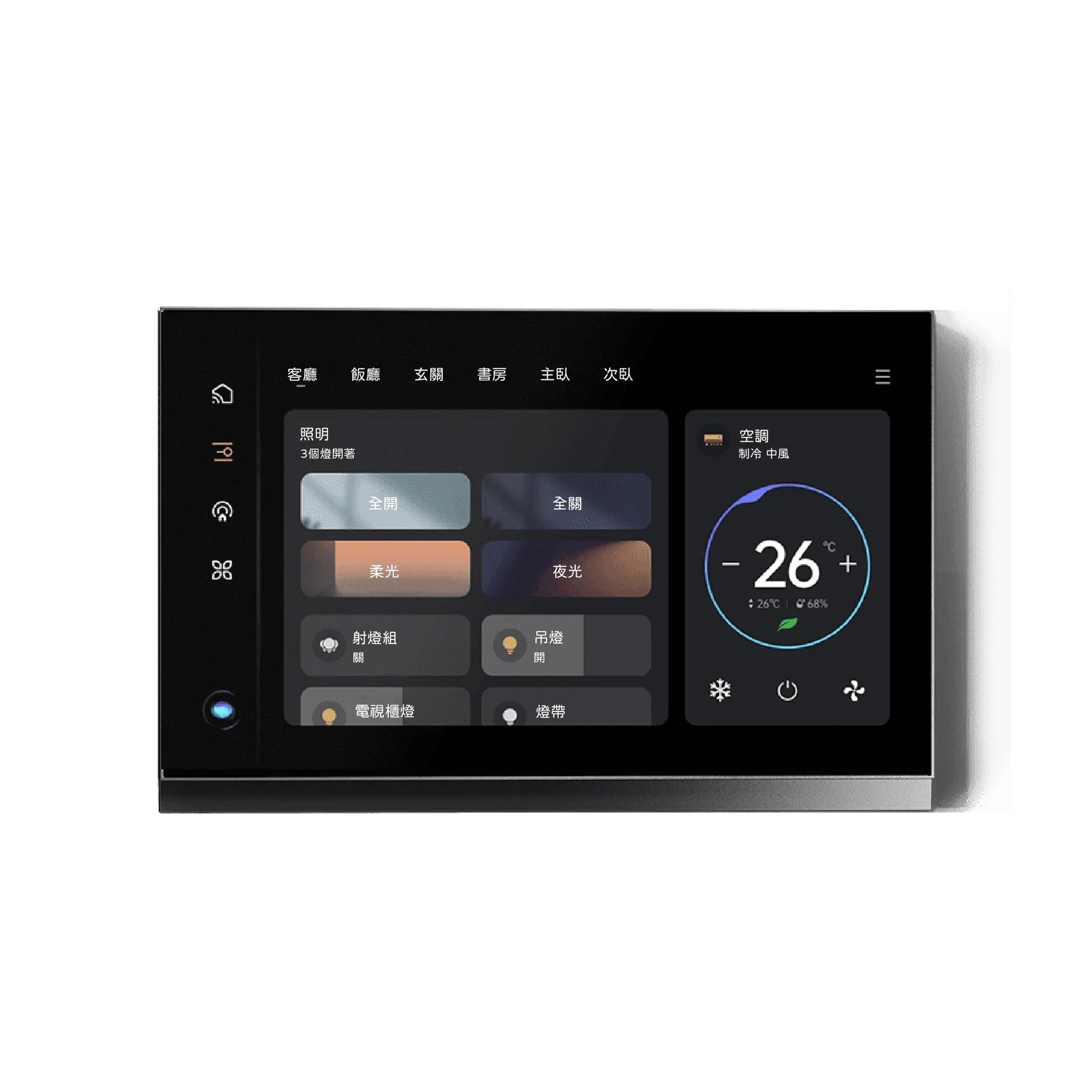
MixSwitch Defy Series is a smart wall-control range designed to bring lighting, scenes and smart-home functions into a cleaner and more interactive switch format. Depending on the selected version, the range includes multi-gang smart switches and a smart panel with an integrated touch display.

Smart Lighting Zigbee 3.0 Touch Control Scene Control Smart Home

2Basic Product Information

Attribute Details
Product Name MixSwitch Defy Series
Product Type Smart wall switch and smart control panel series
Product Category Smart Switches / Smart Lighting Control
Brand ORVIBO
Communication Zigbee 3.0 on the Defy 3-gang and 4-gang versions; the Defy Smart Panel additionally lists Wi-Fi and Bluetooth.
Power Supply 220V L/N
Installation Wall-mounted indoor installation
Primary Function Lighting control, smart scenes and connected-home control
Service Location Dubai, UAE

3Defy Series Models

Version Main Function Communication
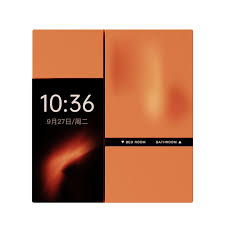
MixSwitch Defy Smart Panel Dual-screen smart panel with touch display, smart control and interactive functions. Wi-Fi / Bluetooth / Zigbee 3.0
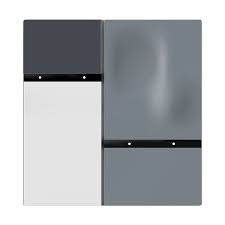
MixSwitch Defy 3 Gang Three-gang smart wall switch for independent lighting control. Zigbee 3.0
MixSwitch Defy 4 Gang Four-gang smart wall switch for multi-zone lighting control. Zigbee 3.0
The exact electrical rating and dimensions depend on the selected Defy version. The specifications below therefore identify each model separately instead of combining their values.

4MixSwitch Defy Smart Panel

Specification Details
Product Type Dual-screen smart panel
Product Size 92.5 × 86 × 38.9 mm
Power Supply 220V L/N
Maximum Load 800W per loop; total load below 1200W according to the published specification.
Communication Wi-Fi / Bluetooth / Zigbee 3.0
Memory 512M + 512M
IPS Touch Screen 2.41 inches
Microphone Dual microphone array
Speaker 1W
Smart Control Touch-based smart control, customised button functions and smart-home interaction.

5MixSwitch Defy 3 Gang

Specification Details
Product Type 3-gang smart wall switch
Product Size 92.5 × 86 × 35.25 mm
Power Supply 220V L/N
Lighting Loops 3 loops
Maximum Load 800W per loop; total load ≤1200W
Communication Protocol Zigbee 3.0
Material Technology PC + spray paint
Application Independent control of multiple lighting zones from one wall switch.

6MixSwitch Defy 4 Gang

Specification Details
Product Type 4-gang smart wall switch
Product Size 92.5 × 86 × 35.25 mm
Power Supply 220V L/N
Lighting Loops 4 loops
Maximum Load 800W per loop; total load ≤1200W
Communication Protocol Zigbee 3.0
Material Technology PC + spray paint
Application Suitable for rooms requiring several independent lighting control points.

7Design & User Experience

Feature Details
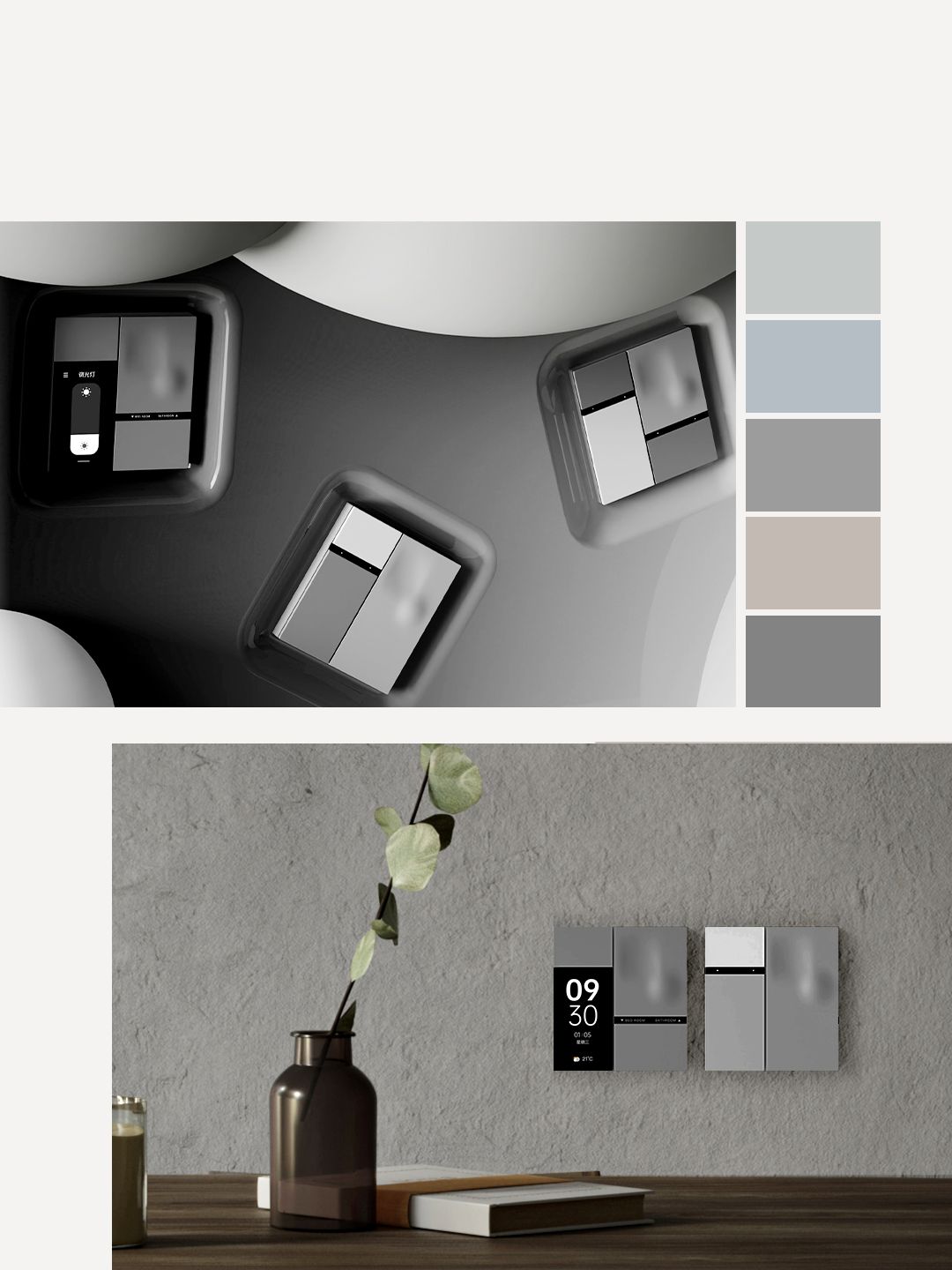
Design Approach Modern smart wall control designed to make the switch an integrated part of the interior.
Button Design Unique button design intended to provide a more refined physical interaction.
Touch Experience The Defy range is designed around smooth touch interaction.
Colours Various colours are available depending on the selected model and market.
Material PC + spray-paint material technology is specified for the 3-gang and 4-gang versions.
Display The Smart Panel version includes a 2.41-inch IPS touch screen.
Colour, appearance and display details can vary by product version and production batch.

8Smart Features

Feature How It Works
Smart Lighting Control Use the physical switch or smart control functions to manage connected lighting.
Scene Control Configured buttons can be used to trigger smart scenes instead of controlling only one light.
Custom Buttons The product information highlights mobile-app customisation of buttons for smart functions.
Automatic Induction The Smart Panel uses an active proximity sensor so the screen can light when a person approaches.
Button Identification On the Smart Panel, the button name can be displayed when the screen activates.
Whole-Home Control MixCtrl 2.0 is designed to allow a switch to participate in broader smart-home functions.

9MixCtrl™ 2.0 Technology

MixCtrl™ 2.0 is part of the Defy Series approach to turning a wall switch into a more flexible smart-home control point. Instead of limiting every button to a single lighting circuit, compatible configurations can use button functions for scenes and other smart actions.

Control Type Possible Use
Lighting Turn individual connected lighting circuits on or off.
Scene Trigger a predefined smart-home scene from a button.
Smart Function Assign compatible smart-home actions to selected controls.
Custom Control Arrange button functions around the way a room or property is actually used.

10Automatic Proximity Induction

Function Details
Proximity Sensor The Smart Panel includes an active proximity sensor.
Automatic Screen Wake The screen can automatically light when a person approaches.
Button Information The button name can be displayed when the interface becomes active.
Practical Benefit Users can see the available controls without continuously keeping the display illuminated.

11Connectivity & Smart-Home Integration

Model Connectivity Smart-Home Role
Defy 3 Gang Zigbee 3.0 Smart lighting and compatible automation integration.
Defy 4 Gang Zigbee 3.0 Smart lighting and compatible automation integration.
Defy Smart Panel Wi-Fi / Bluetooth / Zigbee 3.0 Expanded smart-home control through the integrated interactive panel.
Smart-home functions depend on the compatible controller, gateway, software, region and connected devices. Not every feature is necessarily available in every market.

12Electrical & Load Specifications

Version Power Load Rating
Defy Smart Panel 220V L/N 800W per loop; total load <1200W
Defy 3 Gang 220V L/N 3 loops; 800W per loop; total load ≤1200W
Defy 4 Gang 220V L/N 4 loops; 800W per loop; total load ≤1200W
The stated maximum load is a product specification and should not be treated as a recommendation to operate continuously at the maximum rating. Always verify the connected lighting load before installation.

13Recommended Applications

Location Possible Use
Living Room Control multiple lighting zones and activate scenes such as entertainment or relaxation.
Bedroom Control bedroom lighting and configure convenient night-time scenes.
Kitchen Separate main, work-area and decorative lighting into convenient control zones.
Dining Area Create dedicated lighting scenes for everyday dining and entertaining.
Villa Use multiple Defy switches as part of a larger smart-home lighting system.
Apartment Add smart lighting functions while keeping a clean wall appearance.
Office Use multiple lighting controls and scene-based room settings.
Hospitality Provide simple physical lighting control with smart automation capabilities.

14Example Smart Scenes

Scene Example Action
Welcome Turn on selected entrance and living-area lighting when arriving home.
Movie Time Switch off selected main lights while keeping preferred ambient lighting active.
Reading Activate suitable lighting for a reading area.
Dinner Set the dining and surrounding lighting to the preferred arrangement.
Good Night Turn off selected lighting zones and activate compatible bedtime routines.
Leaving Home Turn off selected lights and trigger compatible away-mode automation.

15Installation & Setup Instructions

Defy is a mains-powered wall-control product. Electrical installation should be carried out by a qualified electrician. Always follow the wiring diagram supplied with the exact model being installed.
  1. Select the correct model: Confirm whether the project requires the Smart Panel, 3-gang or 4-gang version.
  2. Check the wall location: Confirm that the selected installation position is suitable for the Defy unit and its wall box.
  3. Verify the electrical supply: Confirm that the installation provides the required Live and Neutral supply.
  4. Check the lighting circuits: Confirm the number of lighting loops and make sure the total connected load remains within the specified limits.
  5. Turn off mains power: Completely isolate the circuit before beginning electrical work.
  6. Connect the switch: Wire the product according to the connection diagram for the exact Defy model.
  7. Secure the unit: Install the switch or panel into the wall box and align it correctly.
  8. Restore power: Restore electrical power only after the wiring has been checked.
  9. Test physical control: Check each lighting circuit individually.
  10. Pair the smart device: Add the Defy product to the compatible smart-home system or gateway.
  11. Configure buttons: Assign the required lighting, scene or smart-home functions.
  12. Configure scenes: Create suitable room or whole-home scenes where supported.
  13. Test proximity functions: On the Smart Panel version, check the automatic screen activation behaviour.
  14. Complete the setup: Test normal lighting control and all configured smart functions before handing the installation over to the user.

16Installation Requirements

Requirement Details
Electrical Supply 220V L/N according to the published Defy specifications.
Wall Installation Designed as a wall-mounted smart control product.
Lighting Circuits Choose the 3-gang or 4-gang version according to the required number of lighting loops.
Smart Gateway Use the compatible gateway or controller required for the intended smart-home functions.
Load Planning Check the actual lighting load before connecting each circuit.
Professional Installation Recommended because the product is connected to mains electricity.

17Benefits & Important Notes

Benefit / Note Details
Modern Control Provides a more interactive alternative to a conventional wall switch.
Multiple Versions 3-gang, 4-gang and Smart Panel options allow the system to be matched to different requirements.
Zigbee 3.0 Provides smart-home communication for compatible Defy switch versions.
Smart Panel Connectivity The Smart Panel lists Wi-Fi, Bluetooth and Zigbee 3.0 communication.
Custom Controls Mobile-app custom buttons and configurable smart functions make the interface more flexible.
Proximity Interaction The Smart Panel can automatically activate its screen when a person approaches.
Load Rating Follow the specific load rating of the selected version and never exceed the stated limit.
Product Variations Colours, appearance, software functions and specifications may vary by region, version or production batch.
Actual Performance Real-world performance can vary with installation conditions, software versions, connected devices and environment.

?Frequently Asked Questions

What is MixSwitch Defy Series?

MixSwitch Defy Series is a range of smart wall switches and smart panels designed for lighting control, scene control and smart-home integration.

What models are available in the Defy Series?

The published Defy range includes the MixSwitch Defy Smart Panel, MixSwitch Defy 3 Gang and MixSwitch Defy 4 Gang.

Does MixSwitch Defy use Zigbee?

Yes. The 3-gang and 4-gang versions use Zigbee 3.0. The Smart Panel additionally lists Wi-Fi and Bluetooth connectivity.

What is the size of the Defy 3-gang switch?

The published size is 92.5 × 86 × 35.25 mm.

What is the size of the Defy 4-gang switch?

The published size is 92.5 × 86 × 35.25 mm.

What is the size of the Defy Smart Panel?

The published Smart Panel size is 92.5 × 86 × 38.9 mm.

How many lighting circuits does the 3-gang version control?

The Defy 3-gang version is specified with three lighting loops.

How many lighting circuits does the 4-gang version control?

The Defy 4-gang version is specified with four lighting loops.

What is the maximum load of the Defy 3-gang switch?

The published specification states up to 800W per loop with a total load of up to 1200W.

What is the maximum load of the Defy 4-gang switch?

The published specification states up to 800W per loop with a total load of up to 1200W.

What is the screen size of the Defy Smart Panel?

The Smart Panel includes a 2.41-inch IPS touch screen.

Does the Defy Smart Panel have a microphone?

Yes. The published specification lists a dual microphone array.

Does the Defy Smart Panel have a speaker?

Yes. The published specification lists a 1W speaker.

Does the Defy Smart Panel have memory?

Yes. The published specification lists 512M + 512M memory.

Does MixSwitch Defy support smart scenes?

Yes. The Defy Series is designed to support smart scene and automation functions when configured with compatible smart-home equipment.

Can the Defy buttons be customised?

The Defy product information highlights mobile-app custom buttons and configurable button functions.

Does the Defy Smart Panel detect when someone approaches?

Yes. It includes an active proximity sensor that can automatically light the screen when a person approaches.

Can the screen show button names?

Yes. The published product information states that the button name can be displayed when the screen activates.

What power supply does MixSwitch Defy use?

The published Defy specifications list a 220V Live and Neutral power supply.

What material is used on the Defy 3-gang and 4-gang versions?

The published specification lists PC plus spray-paint material technology.

Is MixSwitch Defy suitable for smart homes in Dubai?

Yes. The Defy Series can be used as part of compatible smart lighting and home automation installations in Dubai, subject to correct electrical installation and system compatibility.

Does MixSwitch Defy require professional installation?

Professional installation is recommended because the switch is connected to mains electrical wiring.

Can MixSwitch Defy be used with other smart-home devices?

Compatible configurations can connect the switch to other supported smart-home devices and scenes through the appropriate controller or gateway.

Are all Defy Series specifications the same?

No. The Smart Panel, 3-gang and 4-gang versions have different dimensions, communication options and control configurations. The exact specification should always be checked against the selected model.

Can product specifications change?

Yes. Product appearance, colours, software functions and specifications may vary because of regional versions, production changes and software updates.

Customer reviews

0 Reviews Write a review

Write a review

No reviews yet.

Cart

Your cart is currently empty

Continue shopping