0 Reviews

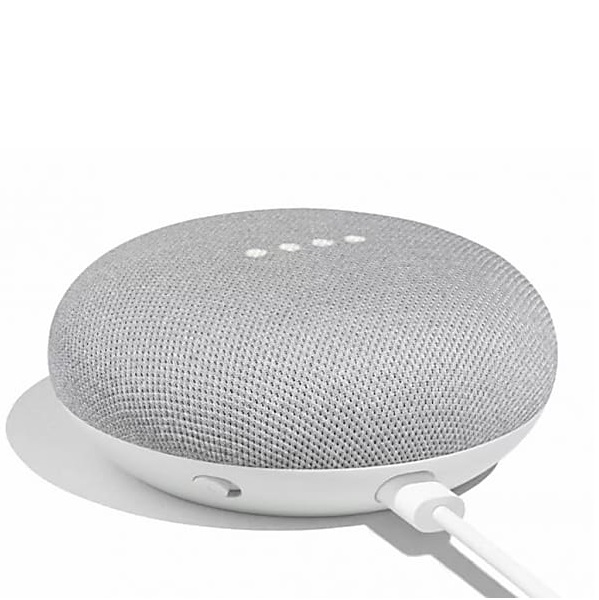
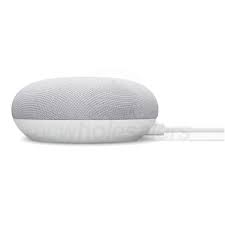
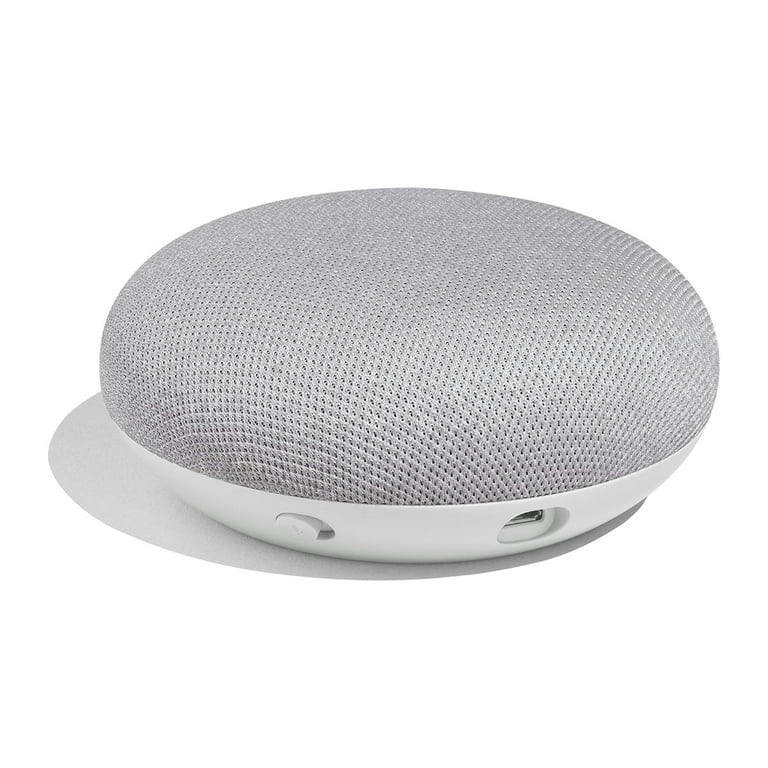
Google Nest Mini Hub Smart Speaker-Chalk - GA00210-US

189.00 220.00 14.09
Availability:
Out of stock
Quantity:
SKU:

Small Speaker, Big Intelligence

The Google Nest Mini Hub in Chalk may be compact, but it packs a powerful punch when it comes to smart home convenience. Designed for those who value simplicity, functionality, and modern aesthetics, the Nest Mini is your always-ready personal assistant that fits in the palm of your hand. Don’t let its size fool you — this small speaker delivers crisp vocals, richer bass, and clear sound that fills any room.

With built-in Google Assistant, you can use your voice to play music, check the weather, set alarms, manage your schedule, or get quick answers — all without lifting a finger. Even better, it acts as a central hub for your other smart devices. Control compatible lights, thermostats, cameras, and more using simple voice commands.

Product Type normal
Product Code GA00210-US
Category Id 18
Brand Google Nest
Model GA00210-US
Color Chalk
Product Tax 5.00
Status 1

1Product Overview

AttributeDetails
Product NameGoogle Home Mini Smart Speaker
Model NumberGA00210-US
Generation1st Generation
ColorChalk
Product TypeSmart Speaker / Voice Assistant
Voice AssistantGoogle Assistant
Wake WordHey Google
Primary UseVoice assistance, music playback and compatible smart home control
ConnectivityWi-Fi and Bluetooth
DisplayNo display screen
Power SourcePlug-in power adapter
Indoor / OutdoorIndoor use

2Key Features

FeatureDetails
Google AssistantUse your voice to ask questions, get information and control compatible smart home devices.
Hands-Free HelpFar-field voice recognition allows the speaker to respond without needing to hold a phone.
360° SoundA 40 mm driver delivers sound around the compact speaker.
Multi-User RecognitionVoice recognition can distinguish up to six different voices for personalized responses.
Smart Home ControlControl compatible lights, thermostats and other supported smart home products by voice.
Music StreamingStream supported music and audio services through Wi-Fi.
Chromecast SupportWorks with Chromecast and Chromecast Audio for compatible entertainment devices.
Dual-Band Wi-FiSupports 2.4 GHz and 5 GHz Wi-Fi networks.
BluetoothSupports Bluetooth connectivity for compatible audio and device functions.
Compact DesignSmall round form factor designed to fit easily on shelves, desks and tables.

3Google Assistant

FunctionHow It Helps
Questions & AnswersAsk Google for information using natural voice commands.
WeatherAsk for current weather and forecast information.
NewsRequest news and other supported information.
SportsAsk for sports information and scores.
TrafficGet traffic and commute-related information.
ScheduleGet assistance with schedules and reminders when supported services are connected.
TravelAsk for supported travel and commute information.
Voice SearchSearch for information without typing on a phone or computer.
Personalized ResponsesSupports voice recognition for personalized responses across supported accounts and services.

4Smart Home Control

Smart Home FunctionDetails
LightsControl compatible smart lights using voice commands.
ThermostatsControl compatible smart thermostats through Google Assistant.
Smart DevicesInteract with compatible smart home products connected to the Google ecosystem.
Voice AutomationUse voice commands to trigger supported smart home actions.
Compatible EcosystemsWorks with supported products and services including Nest and other compatible smart home platforms.
Multi-Device ControlMultiple compatible devices can be controlled through Google Assistant.
Compatibility: Smart home control depends on the device, service and account being compatible with Google Assistant. Not every smart home product will work with every Google Assistant feature.

5Audio & Speaker Specifications

SpecificationDetails
Speaker Driver1 × 1.58-inch / 40 mm driver
Speaker ConfigurationSingle built-in speaker
Sound Direction360° sound
Audio StreamingWireless audio streaming through Wi-Fi
Bluetooth AudioBluetooth connectivity supported
Audio OutputBuilt-in speaker
Headphone JackNot provided
3.5 mm Audio OutputNot provided
EthernetNot provided

6Supported Audio Formats

FormatSupport
FLACSupported
HE-AACSupported
LC-AAC+Supported
MP3Supported
VorbisSupported
WAV (LPCM)Supported

7Microphone & Voice Recognition

FeatureDetails
Built-In MicrophoneYes
Voice RecognitionFar-field voice recognition
Hands-Free ControlSupported
Multi-User Voice RecognitionCan recognize up to six different voices for personalized responses.
Microphone MuteYes
Wake WordHey Google
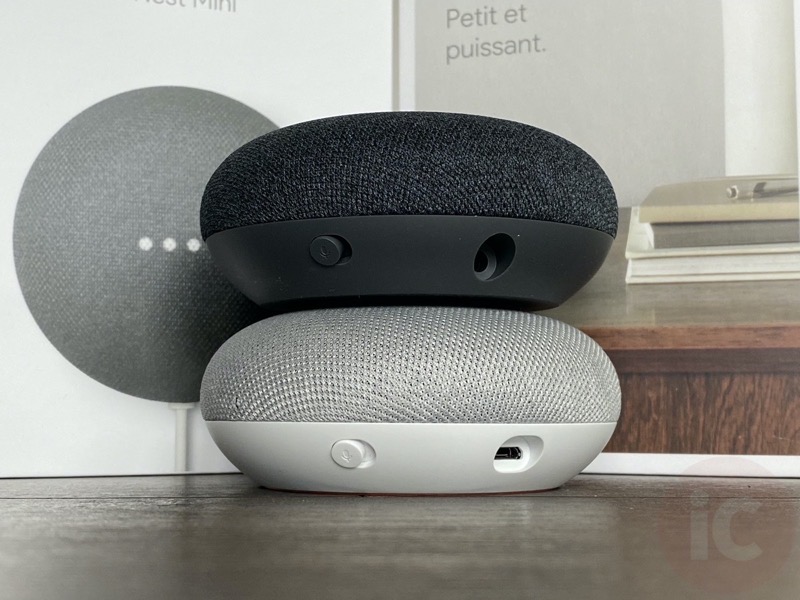
Microphone ControlPhysical microphone control is provided on the device.

8Connectivity & Network

ConnectionDetails
Wi-FiYes
Wi-Fi Standards802.11b/g/n/ac
Wi-Fi GenerationWi-Fi 5 / 802.11ac
Wi-Fi Bands2.4 GHz and 5 GHz
BluetoothYes
Bluetooth VersionBluetooth 4.1
EthernetNo
Wireless AudioSupported through Wi-Fi
USB1 × Micro-USB connection for power
Network RequirementCompatible 802.11a/b/g/n/ac Wi-Fi router or access point

9Chromecast & Entertainment

FunctionDetails
ChromecastBuilt-in Chromecast support
Chromecast AudioChromecast Audio support
MusicControl supported music playback using voice commands.
Movies & ShowsUse voice control with compatible Chromecast entertainment devices.
Playback ControlPlay, pause and rewind supported media through voice commands.
Streaming ServicesSupported services include platforms such as Spotify, Pandora, YouTube and other compatible services.

10App & Operating System Compatibility

RequirementDetails
Google Home AppRequired for setup and device management.
AndroidAndroid 4.2 or later listed for product compatibility; some sources list Android 4.1 or later.
iOSiOS 9.1 or later listed for product compatibility; some sources list iOS 8.0 or later.
Google AccountRequired for Google services and supported personalization features.
Wi-Fi Router802.11a/b/g/n/ac compatible wireless network required for Wi-Fi use.
Mobile DeviceA compatible Android or iOS device is required for setup through the Google Home app.
Software note: Mobile operating-system requirements can change as the Google Home app is updated. For a new installation, use a currently supported version of the Google Home app.

11Power Specifications

SpecificationDetails
Power SourcePlug-in AC power adapter
Input5 VDC
Current1.8 A
ConnectorMicro-USB
BatteryNo built-in battery backup
Portable OperationNot designed for battery-powered portable use
Power CableApproximately 1.5 m / 4.92 ft

12Physical Specifications

SpecificationDetails
ColorChalk
ShapeCompact round design
DiameterApproximately 98 mm / 3.86 inches
HeightApproximately 42 mm / 1.65 inches
WidthApproximately 98 mm / 3.85–3.9 inches
DepthApproximately 98 mm / 3.85–3.9 inches
WeightApproximately 173 g / 6.1 oz
MaterialFabric top, plastic housing and non-skid silicone base
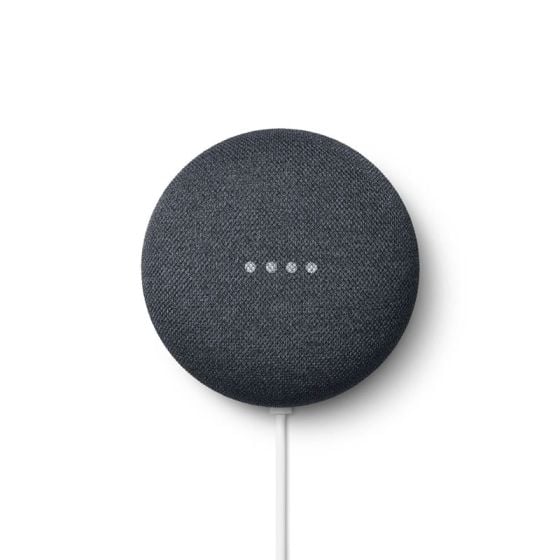
LED IndicatorsYes
DisplayNo screen

13Design & Placement

Design DetailInformation
Form FactorSmall, low-profile circular speaker
FinishChalk fabric finish
BaseNon-skid silicone base
PlacementDesigned to sit on desks, shelves, tables and other indoor surfaces.
Interior UseDesigned for indoor environments.
Space RequirementCompact footprint makes it suitable for rooms where space is limited.
Visual IndicatorsLED indicators provide device status information.

14Smart Features

FeatureDetails
Voice SearchAsk Google for information using your voice.
Personal AssistantGet help with schedules, reminders, weather, traffic and other supported information.
Voice Media ControlPlay, pause and control supported music, movies and shows.
Smart HomeControl compatible lights, thermostats and other smart products.
Multi-UserVoice recognition can personalize responses for multiple users.
AlarmsAlarm functionality is supported.
Games & StoriesGoogle Assistant can provide supported games, stories and family entertainment.
CalendarCompatible Google services can provide calendar-related assistance.

15Supported Services

Service / PlatformRelationship
Google AssistantBuilt-in voice assistant
ChromecastBuilt-in support for compatible entertainment devices
Chromecast AudioSupported
SpotifySupported service
PandoraSupported service
YouTubeSupported service
NetflixSupported ecosystem/service integration
Google PhotosSupported Google service
Google CalendarSupported Google service
NestCompatible smart home ecosystem
Service availability: Supported services and features can vary by country, language, account, subscription and current Google software support.

16Smart Home Compatibility

Platform / DeviceCompatibility
Google AssistantNative
NestCompatible
Philips HueCompatible with supported Google Assistant integrations
RingCompatible with supported Google Assistant integrations
SmartThingsCompatibility depends on the supported integration and current service availability.
WinkHistorically listed as compatible; current service availability should be checked before installation.
ChromecastCompatible
Smart LightsCompatible products can be controlled through Google Assistant.
Smart ThermostatsCompatible thermostats can be controlled through Google Assistant.

17Example Voice Commands

RequestExample Use
Information"Hey Google, what's the weather today?"
Music"Hey Google, play music."
Playback"Hey Google, pause the music."
Smart Lights"Hey Google, turn on the living room lights."
Thermostat"Hey Google, set the thermostat."
Schedule"Hey Google, what's on my calendar?"
Alarm"Hey Google, set an alarm."
Traffic"Hey Google, how is the traffic?"
Command note: Exact commands and available actions depend on the connected account, language, smart device and currently supported Google Assistant features.

18Setup Guide

  1. Choose a location: Place the speaker on a stable indoor surface where the microphone can hear normal voice commands.
  2. Connect power: Connect the supplied power adapter to the speaker and a suitable power outlet.
  3. Wait for startup: Allow the Google Home Mini to complete its startup process.
  4. Install Google Home: Install the Google Home app on a compatible Android or iOS mobile device.
  5. Sign in: Sign in with the Google account you want to use with the speaker.
  6. Add the device: Follow the Google Home app prompts to add the Home Mini.
  7. Select your home: Assign the speaker to the appropriate home and room.
  8. Connect Wi-Fi: Select the available Wi-Fi network and complete the connection process.
  9. Complete voice setup: Follow the available Google Assistant and voice-recognition prompts.
  10. Connect services: Add compatible music, entertainment and smart home services where required.
  11. Add smart devices: Link compatible lights, thermostats and other supported smart home products.
  12. Test voice control: Say "Hey Google" followed by a simple command.
Setup requirement: A compatible mobile device, Google Home app, Google account and Wi-Fi network are required for normal setup.

19Recommended Placement

LocationRecommended Use
Living RoomMusic playback, general assistance and smart home voice control.
BedroomAlarms, schedules, music and hands-free assistance.
KitchenVoice assistance while cooking or moving around the room.
Home OfficeCalendar assistance, reminders, music and smart home control.
Dining AreaMusic and voice-controlled home functions.
Entry AreaQuick access to supported smart home controls.

20Use in Dubai & UAE

ConsiderationDetails
PowerThe supplied power adapter should be used with a suitable UAE electrical outlet or appropriate compatible power arrangement.
Wi-FiA stable 2.4 GHz or 5 GHz Wi-Fi connection is recommended for setup and connected services.
Indoor PlacementKeep the speaker indoors and away from direct water exposure.
Smart HomeSuitable for compatible Google Assistant smart home products installed in apartments, villas and offices.
LanguageAvailable Assistant languages and features vary according to Google's current regional support.
StreamingMusic and entertainment services depend on local availability and account subscriptions.

21What's in the Box

ItemQuantity / Details
Google Home Mini1 × Google Home Mini in Chalk
Power Adapter1 × Power adapter
Power CablePower cable supplied with the adapter
Quick Start GuideIncluded according to the product package

22Packaging Information

SpecificationDetails
Product WeightApproximately 173 g / 6.1 oz
Package WeightApproximately 0.76 lb according to listed packaging specifications
Box DimensionsApproximately 5.05 × 4.55 × 4 inches
Package ContentsGoogle Home Mini, power adapter/cable and quick start documentation

23Warranty & Product Status

ItemDetails
Manufacturer Warranty1-year limited warranty is listed by several product specification sources.
Parts Warranty1 year according to listed retailer specifications.
Labor Warranty1 year according to listed retailer specifications.
Product Generation1st Generation Google Home Mini
Current AvailabilityThe model is an older generation product and is listed as discontinued or no longer available new by several retailers.
Availability note: Warranty terms for a unit supplied in the UAE should be confirmed with the seller and based on the actual product package and purchase documentation.

24Basic Troubleshooting

ProblemWhat to Check
No PowerCheck the power adapter, cable and wall outlet.
Wi-Fi Not ConnectingCheck the Wi-Fi password, router connection and signal strength.
Google Assistant Not RespondingCheck power, Wi-Fi and microphone settings.
Microphone Not Hearing YouMake sure the microphone has not been muted and that the speaker is not obstructed.
Music Not PlayingCheck Wi-Fi connectivity, selected service and account/subscription status.
Smart Device Not RespondingCheck that the smart device is online and linked to the correct Google account.
Chromecast Control FailsConfirm the Chromecast device and Home Mini are connected to the appropriate network/account.
Voice Recognition IssuesSpeak clearly near the speaker and check Google Assistant settings.
App Cannot Find DeviceCheck Bluetooth/Wi-Fi, mobile-device permissions and ensure the speaker is in setup mode if necessary.

25Important Product Notes

PointInformation
No DisplayThe Google Home Mini does not have a screen. Voice and LED indicators are used for interaction and status.
No BatteryThe speaker requires continuous power from its adapter.
Wi-Fi RequiredMost Google Assistant and smart home functions require a network connection.
Account RequiredGoogle services and personalization require a compatible Google account.
Smart Home CompatibilityOnly compatible smart devices can be controlled through Google Assistant.
Service AvailabilityMusic, entertainment and Assistant features can vary by region and service.
Indoor ProductThe speaker is intended for indoor use.
Older GenerationGA00210-US is the 1st-generation Home Mini model, not the later Nest Mini generation.

26Complete Technical Summary

SpecificationDetails
BrandGoogle
ProductHome Mini 1st Generation
ModelGA00210-US
ColorChalk
Voice AssistantGoogle Assistant
Wake WordHey Google
Driver1 × 40 mm / 1.58-inch
Sound360°
MicrophoneBuilt-in far-field microphone
Voice RecognitionUp to six voices
Microphone MuteYes
Wi-Fi802.11b/g/n/ac
Wi-Fi Bands2.4 GHz / 5 GHz
BluetoothBluetooth 4.1
USBMicro-USB
EthernetNo
ChromecastBuilt-in
Chromecast AudioSupported
DisplayNo
Power5 VDC, 1.8 A
Power SourcePlug-in adapter
Battery BackupNo
DimensionsApprox. 98 × 98 × 42 mm
WeightApprox. 173 g
MaterialFabric, plastic and silicone
Operating EnvironmentIndoor use

?Frequently Asked Questions

What is the Google Home Mini GA00210-US?

The GA00210-US is the 1st-generation Google Home Mini smart speaker in the Chalk finish. It includes Google Assistant, Wi-Fi, Bluetooth and smart home control.

Is GA00210-US a Google Nest Mini?

No. GA00210-US is the original Google Home Mini, 1st Generation. It should not be confused with the later Google Nest Mini.

What color is this Google Home Mini?

This model is the Chalk color variant.

Does Google Home Mini have Google Assistant?

Yes. Google Assistant is built into the speaker and can be activated using the "Hey Google" wake word.

Can Google Home Mini control smart home devices?

Yes. Compatible lights, thermostats and other supported smart home devices can be controlled using Google Assistant.

Does Google Home Mini work with Nest thermostats?

Yes. Compatible Nest products can be controlled through Google Assistant when correctly linked to the relevant Google Home setup.

Does Google Home Mini work with smart lights?

Yes. Compatible smart lighting products can be controlled through Google Assistant.

Does Google Home Mini support Wi-Fi?

Yes. It supports dual-band 2.4 GHz and 5 GHz Wi-Fi using 802.11b/g/n/ac standards.

Does Google Home Mini support Bluetooth?

Yes. Bluetooth 4.1 connectivity is listed for the GA00210-US.

Does Google Home Mini have a screen?

No. The Google Home Mini is a speaker without a display screen.

Does Google Home Mini have a battery?

No. It is a plug-in speaker and requires its power adapter for operation.

What speaker driver does it use?

It has one 1.58-inch, or 40 mm, driver designed to provide 360-degree sound.

Can I play music on Google Home Mini?

Yes. Compatible music services can be streamed through the speaker using Wi-Fi and controlled with voice commands.

Does it support Spotify?

Spotify is listed among the supported services for the Google Home Mini, subject to account, region and current service availability.

Does it support YouTube?

Yes. YouTube is listed among supported services, with available functions depending on the connected Google ecosystem and account.

Can Google Home Mini control Chromecast?

Yes. Chromecast support is built in, allowing compatible entertainment devices to be controlled through Google Assistant.

Can multiple people use Google Home Mini?

Yes. Far-field voice recognition supports recognition of up to six different voices for personalized responses.

How do I mute the microphone?

The speaker includes a microphone mute control. Use the physical microphone control on the device when you want to disable microphone listening.

What is the wake word?

The standard wake phrase is "Hey Google."

What operating systems are supported?

Product specifications list Android and iOS compatibility. Minimum versions can vary by the Google Home app version, so a currently supported mobile operating system is recommended.

Does Google Home Mini need the Google Home app?

Yes. The Google Home app is used for initial setup and management of the speaker.

Does Google Home Mini need a Google account?

Yes. A Google account is required for Google services and supported personalization and smart home features.

What power does the Google Home Mini use?

The listed DC input is 5 VDC at 1.8 A through the supplied power connection.

What connector does Google Home Mini use?

The product specifications list one Micro-USB connection for power.

What are the dimensions of Google Home Mini?

The speaker is approximately 98 mm in diameter and 42 mm high, or about 3.86 inches wide and 1.65 inches tall.

How much does Google Home Mini weigh?

The device weighs approximately 173 grams, or 6.1 ounces.

Where can I place Google Home Mini?

It is designed for indoor placement on stable surfaces such as tables, desks, shelves and counters.

Can Google Home Mini be used outdoors?

The product is intended for indoor use and should be protected from unsuitable outdoor conditions and direct water exposure.

Can Google Home Mini set alarms?

Yes. Alarm functionality is supported.

Can Google Home Mini help with traffic?

Yes. Google Assistant can provide supported traffic and commute information.

Can Google Home Mini give weather information?

Yes. You can ask Google Assistant for weather and forecast information.

Can Google Home Mini help with a daily schedule?

Yes. When compatible Google services are connected, it can provide assistance with schedules, reminders and calendar information.

Can Google Home Mini control music by voice?

Yes. You can use voice commands for supported playback functions such as playing, pausing and controlling music.

Can Google Home Mini work with Ring?

Ring is listed among compatible smart home integrations in product compatibility information, although the exact features available can depend on current Google and Ring service support.

Can Google Home Mini work with Philips Hue?

Philips Hue is listed among compatible smart home products and services, subject to the supported Google Assistant integration.

Can Google Home Mini work with SmartThings?

SmartThings compatibility can depend on the current integration and service availability. The relevant Google Home and SmartThings support should be checked before installation.

What comes in the box?

The package is listed as including the Google Home Mini, power adapter and cable, and quick start documentation.

Is GA00210-US still a current model?

GA00210-US is a 1st-generation model and is listed as discontinued or no longer available new by several retailers. Availability can vary by seller.

Is Google Home Mini suitable for smart homes in Dubai?

Yes. It can be used as a voice interface for compatible Google Assistant smart home devices in apartments, villas and offices, provided the required network and regional service support are available.

Customer reviews

0 Reviews Write a review

Write a review

No reviews yet.

Cart

Your cart is currently empty

Continue shopping