3Zigbee Connectivity & Wireless Communication
| Attribute | Specification |
|---|
| Wireless Protocol | Zigbee |
| Networking Method | Zigbee mesh networking |
| Communication Distance | Up to approximately 80 meters in an open environment |
| Wireless Range | ≤80m under specified open-environment conditions |
| Receiver Sensitivity | -96dBm |
| Direct Wi-Fi | No direct Wi-Fi connection is specified for the SE30 |
| Internet Requirement | Internet access depends on the connected gateway or smart-home platform when remote notifications are required |
| Gateway Requirement | A compatible Zigbee gateway, hub or controller is required for integration with a smart-home system |
| Mesh Networking | Zigbee mesh networking can extend communication through compatible powered Zigbee devices |
| Communication Reliability | Actual range and reliability depend on walls, interference, device placement and Zigbee network conditions |
Connectivity note: The stated 80m communication distance is an open-environment specification. Indoor range can be lower because of walls, furniture, metal structures and wireless interference.
16Important Product Notes
| Point | Information |
|---|
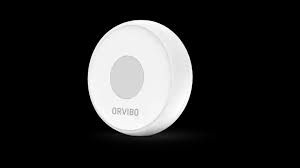
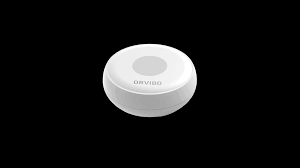
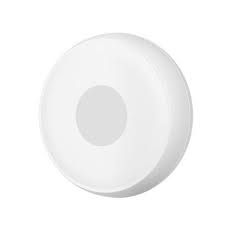
| Model Identification | The manufacturer identifies this Smart Emergency Button as model SE30. |
| Brand | Orvibo. |
| Wireless Protocol | The SE30 uses Zigbee wireless networking. |
| Battery | The current manufacturer specification identifies a 3V CR2032 battery. |
| Standby Current | ≤5µA. |
| Working Current | ≤30mA. |
| Communication Range | Up to 80m in an open environment. |
| Receiver Sensitivity | -96dBm. |
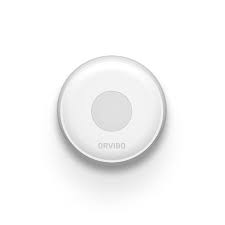
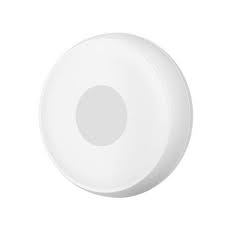
| Dimensions | Approximately Φ50 × 16mm. |
| Installation | Direct placement or adhesive mounting. |
| Operating Temperature | -10°C to +55°C. |
| Outdoor Use | No IP weatherproof rating is specified, so protected indoor installation is recommended. |
| Gateway | A compatible Zigbee gateway, hub or controller is required for smart-home integration. |
| Internet | Internet connectivity is dependent on the connected gateway and smart-home platform when remote alerts are required. |
| Emergency Notifications | Notification behavior depends on the configured smart-home system and connected gateway. |
| Smart Scenes | The device can be used as a trigger for compatible smart-home scenes. |
| Wireless Range | Actual indoor range may be reduced by walls, metal, interference and building construction. |
| Safety | Emergency automation should be tested regularly and should not be relied upon as the sole method of contacting emergency services. |
Specification note: Manufacturer specifications are measured under particular test conditions. Actual wireless performance, battery performance and system behavior can vary depending on the installation environment, gateway, software version and operating conditions.
?Frequently Asked Questions
What is the Smart Emergency Button?
The Smart Emergency Button is a compact wireless Zigbee button designed to trigger emergency, panic, security or smart-home automation actions when pressed.
What is the model number of the Smart Emergency Button?
The Orvibo Smart Emergency Button model is SE30.
What wireless technology does the SE30 use?
The SE30 uses Zigbee wireless networking and is designed for low-power smart-home communication.
Does the Smart Emergency Button use Wi-Fi?
The SE30 specification identifies Zigbee as its networking method. It does not specify a direct Wi-Fi connection.
Does the Smart Emergency Button require a Zigbee hub?
A compatible Zigbee gateway, hub or controller is required when the button is being integrated into a smart-home or security automation system.
What battery does the Smart Emergency Button use?
The current Orvibo specification identifies a 3V CR2032 button-cell battery.
What is the standby current?
The manufacturer's specification lists a standby current of no more than 5µA.
What is the working current?
The specified working current is no more than 30mA.
What is the wireless range of the SE30?
The manufacturer specifies communication of up to 80 meters in an open environment. Indoor range can be lower because of walls and other obstacles.
What is the receiver sensitivity?
The specified receiver sensitivity is -96dBm.
What are the dimensions of the Smart Emergency Button?
The SE30 measures approximately 50mm in diameter and 16mm in thickness, specified as Φ50 × 16mm.
How is the Smart Emergency Button installed?
The manufacturer specifies direct placement or adhesive mounting.
Can the Smart Emergency Button be used as a panic button?
Yes. It is designed as an emergency button and can be used as a panic or SOS trigger when connected to a compatible security or smart-home system.
Can the button send emergency notifications?
The button can trigger configured notifications through a compatible Zigbee gateway and smart-home platform. Notification behavior depends on the connected system.
Can the Smart Emergency Button trigger smart-home scenes?
Yes. The button can be used as a trigger for compatible smart-home scenes and automation routines.
Is the Smart Emergency Button suitable for elderly users?
Yes. Its simple physical-button operation and compact design make it suitable for applications where elderly or vulnerable users need an accessible emergency trigger.
Can the Smart Emergency Button be used in an office?
Yes. It can be incorporated into compatible office emergency, security and smart automation systems.
Can the Smart Emergency Button be used in a Dubai villa?
Yes. It can be installed indoors in a Dubai villa and connected to a compatible Zigbee smart-home system for emergency or security automation.
Is the Smart Emergency Button waterproof?
No IP or waterproof rating is specified for the SE30. It should therefore be installed in a dry, protected location.
What is the operating temperature?
The specified operating temperature range is -10°C to +55°C.
Does the button require a power cable?
No. The SE30 is battery powered and does not require a permanent wired power connection.
Can the Smart Emergency Button work without internet?
The button communicates locally through Zigbee. Whether an emergency action can operate without internet depends on the connected Zigbee gateway and automation system. Remote cloud notifications generally depend on the platform's internet connection.
How should the emergency button be positioned?
Place it within easy reach of the intended user while avoiding locations where accidental pressing is likely. It can be placed on a suitable surface or attached with adhesive.
How often should the Smart Emergency Button be tested?
Regular testing is recommended to confirm that the button, Zigbee connection, gateway and configured emergency notification or automation workflow operate correctly.
Is the Smart Emergency Button suitable as the only emergency contact method?
No. It should be considered an additional smart-home emergency trigger and should not replace appropriate emergency services, alarms or other required safety systems.

 Google Nest
  Google Nest Hub Max 10″ Smart Display-Charcoal850.00 949.00
 Google Nest Learning Thermostat 4th Gen With Nest Temperature1150.00 1350.00
 Ecobee
  Ecobee Enhanced 6th Gen Smart Thermostat Without Sensor610.00 720.00
 Ecobee Premium 6th Generation Smart Thermostat810.00 1000.00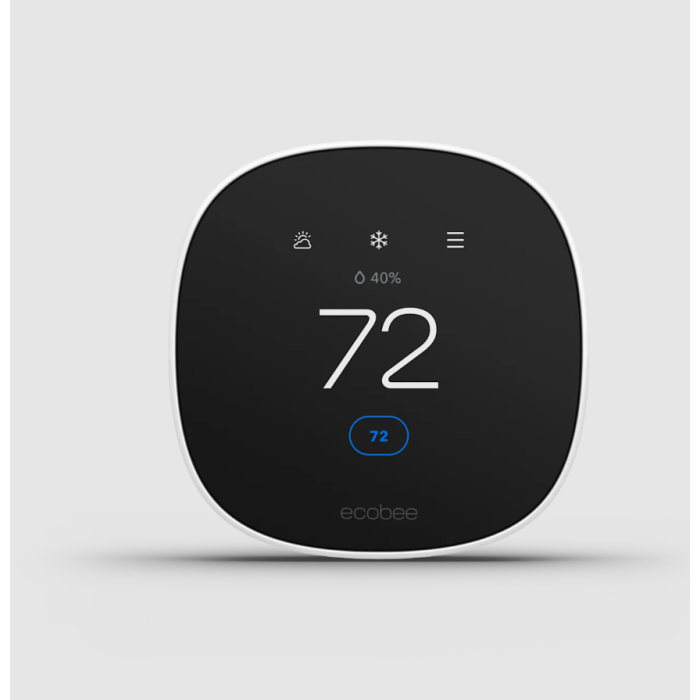
 Orvibo
  Eufy
Eufy  Samsung
 Aqara
Aqara Philips
 Ring
Ring